← Back

Directory Network for Thryv

Product DesignSearch & Discovery ConversionDesign System Multi-BrandiOS & Android

Summary

Yellow Pages, Superpages and DexKnows are where people go to find a local business. They are also how Thryv sells its marketing software to those businesses. I worked across four brands in two countries, on the search experience people use and the path that turns a free listing into a paying customer.
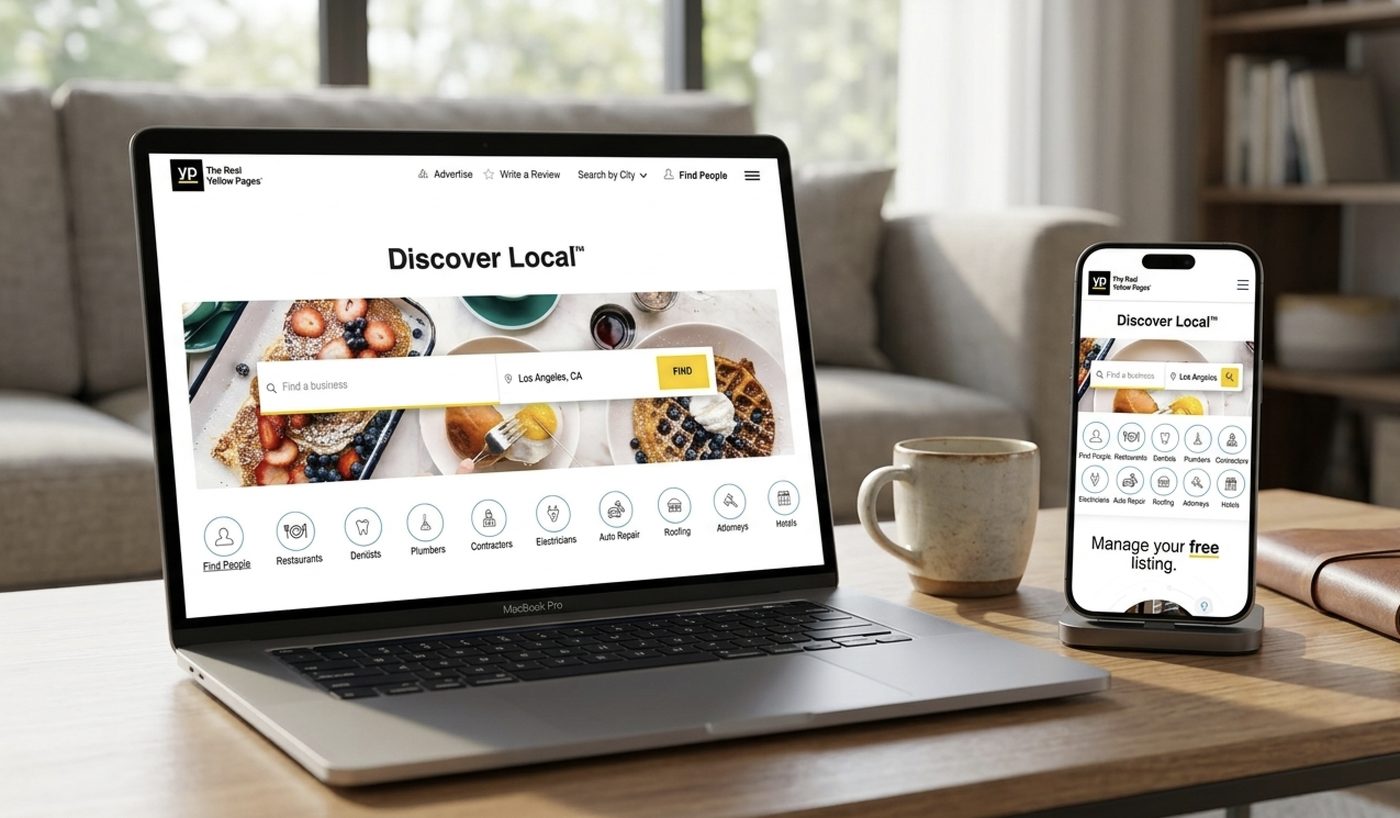
Thryv directory network across devices

Role

Product Designer

Team

2 designers, product manager, product owner, engineering, SEO, analytics

Timeline

2023 to 2026

Tools

Figma, Sketch, Zeplin

Skills used

Information architecture, interaction design, visual design, conversion optimisation, A/B testing, cross-brand design systems, native mobile design
Part 01

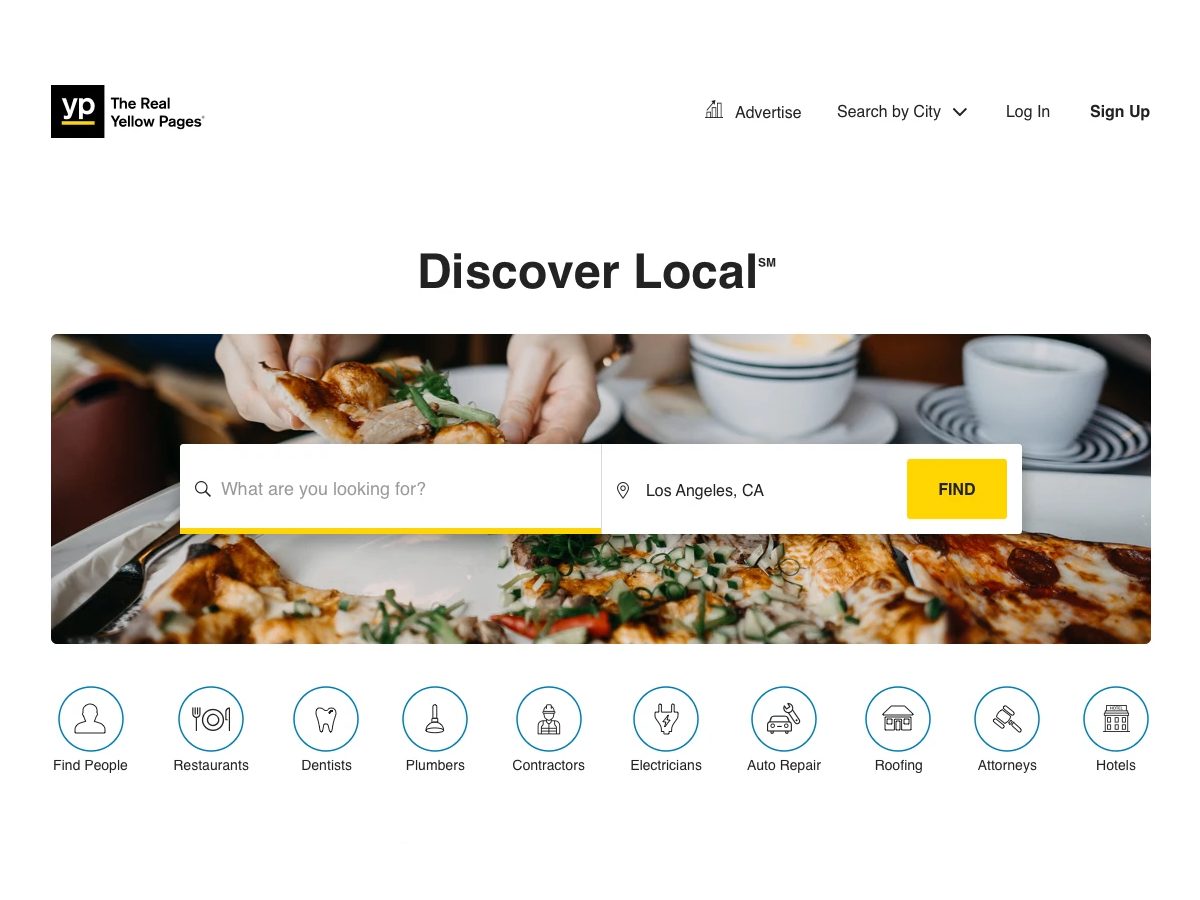
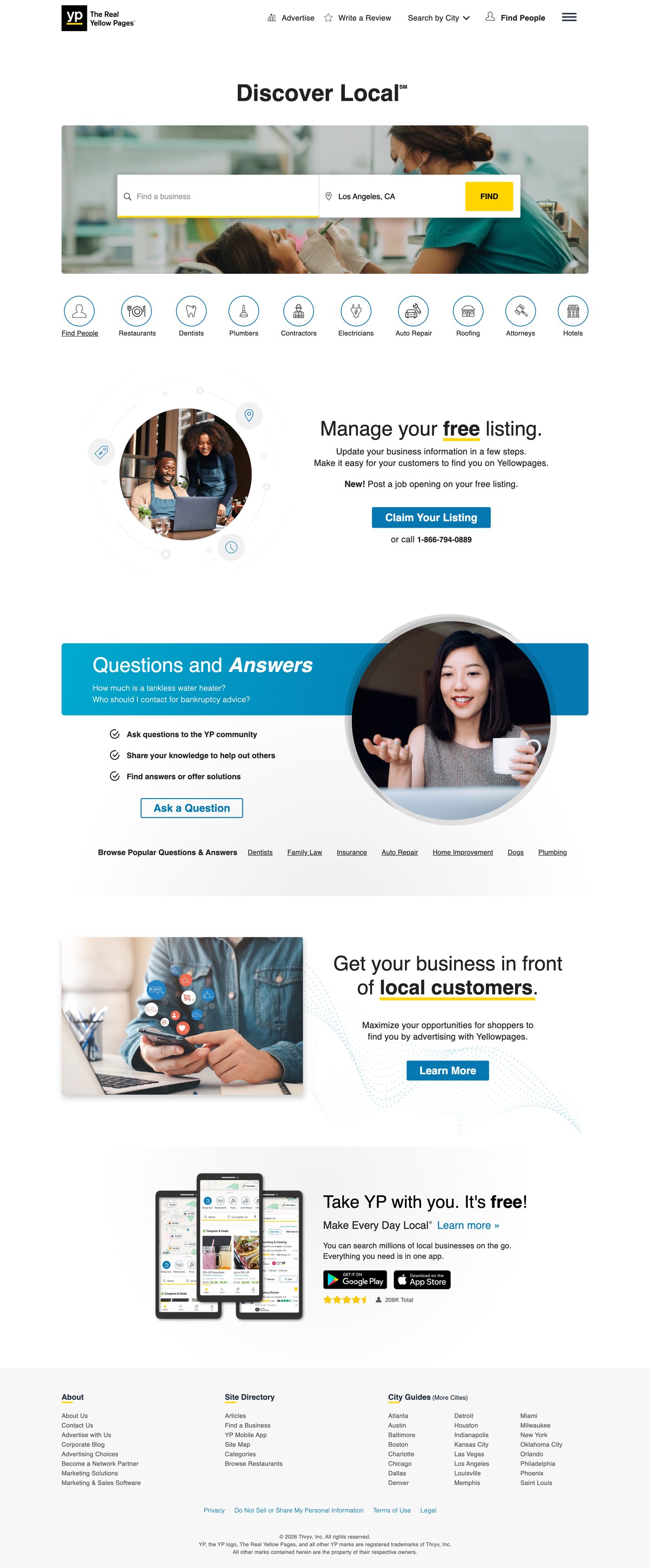
The Yellow Pages homepage

How it works

A search turns into a customer

Someone searches

They want a plumber, a dentist, a mechanic.

They land on a listing

Ads run alongside it. That is the revenue.

The owner claims it

That creates the account Thryv sells to.

The homepage starts both halves of this.

My scope

What I worked on

Homepage layout and search

Category set, ranked from data

Claim your listing entry point

The marketing services page

Desktop and mobile. Shipped 2024.

Yellow Pages homepage

What it looks like now

yellowpages.com
Yellow Pages homepage, desktop

Desktop. Scroll inside the frame.

Yellow Pages homepage, mobile

Mobile

The problem

We needed two numbers to go up.

Goal 1

Drive more people into the search results page

That is where the ads run. More searches, more paid impressions.

Blocked by: a headline and a sign-up panel sharing the band with search.

Goal 2

Get more business owners to claim their listing

A claim creates a YP account. That account is who Thryv sells to.

Blocked by: a claim section carrying no more weight than the app promo or the Q&A panel.

yellowpages.com · 2023
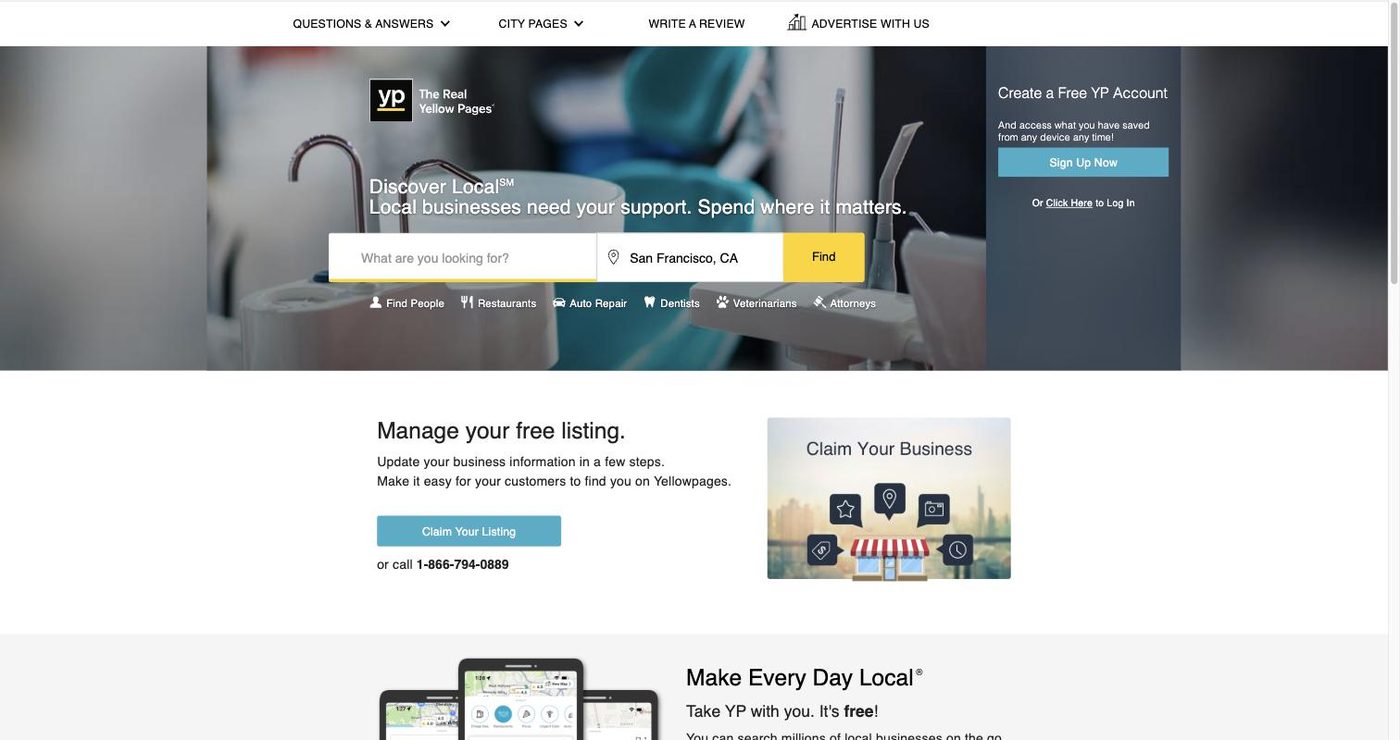
The Yellow Pages homepage before the redesign
  • The top nav sold content, not actionsCity Pages and Questions & Answers held the primary nav, ahead of signing up, reviewing or advertising.
  • Find People sat in the business categoriesA people-search link inside a row meant for plumbers and dentists.
  • The headline and the sign-up panel shared the search bandThree elements asking for the same attention in the first viewport.
  • Claim your listing read as one more blockThe step that creates an account carried the same weight as the app promo and the Q&A panel.
  • The primary blue sat backButtons did not hold against the photography or the yellow.

Who lands here

People searching

The volume. They don't pay.

  • Want a business, then want to leave
  • Often don't know the right word to type
  • Mostly on a phone
  • Go to Google if search isn't obvious

Business owners

The revenue. They arrive by accident.

  • Already listed, usually without knowing
  • Find us by searching their own name
  • No sign the page is theirs to control
  • These are Thryv's customers

What we were trying to move

Two metrics we had to move.

Primary

Homepage to SERP click-through

More sessions reaching a results page. That is where ad inventory is served and where revenue is made.

Secondary

Claim flow entry rate

More owners starting a claim.

CTAMoved into its own section

Layouts we tried

Four ways to give search the top of the page.

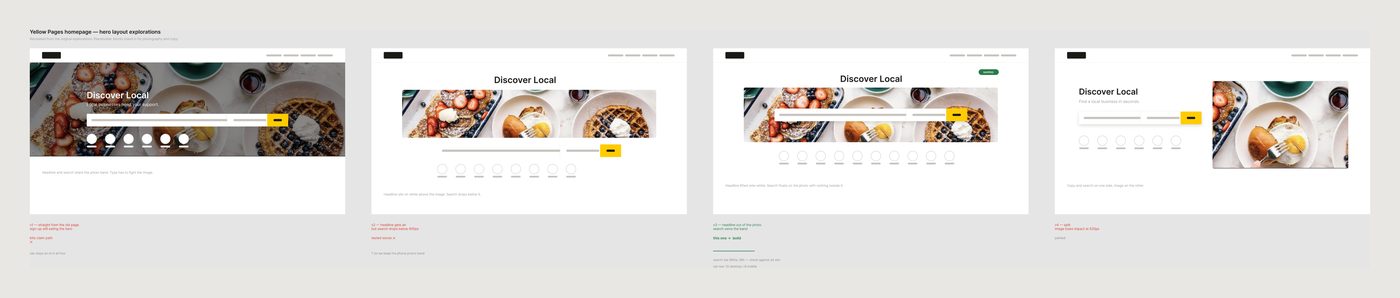
Figma working file showing four hero layout explorations with notes
Scroll sideways.
v1Headline and search both on the photo. Type never held against the image.
v2Headline got air, but search fell below 600px on a laptop.
v3Headline out of the photo, search alone in its band. Built.
v4Split layout. Image lost too much width to carry the page.

How it was worked

Several rounds of iteration, reviewed weekly with the wider group rather than signed off in one pass.

Second designerProduct managerProduct owner EngineeringSEOAnalytics

What shipped

Three changes.

20%

Search moved to the top

The headline came off the photo. The search bar became a white card on the image, with nothing else in that band. The sign-up box left the hero entirely.

Redesigned homepage hero

10 / 8

Ranked from real selections

Six thin text links became icon buttons, ordered by what people actually picked. Desktop and mobile were ranked separately.

The ten category icon buttons on the redesigned homepage

3 → 1

Nav cut back, blue darkened

City Pages and Questions & Answers came out of the primary nav, leaving Sign Up, Write a Review and Advertise. Find People moved up out of the category row. The primary blue was darkened so buttons hold against the photography and the yellow.

Darker primary blue on the claim CTA

→

Claim your listing got its own section

Illustration, a sentence explaining what claiming does, a primary button and a phone number. It stopped looking like a footnote.

Claim your listing section on the redesigned homepage

Categories

Ranked from what people actually picked.

We pulled selection counts per category and ordered the row by volume. Desktop and mobile were ranked from their own data and shipped as separate lists.

10categories on desktop
8categories on mobile
6text links before, now icon buttons

The two rankings did not match, so one list would have under-served whichever device lost. The component stayed identical across both, only the contents changed, so the pattern could carry to the other brands.

Yellow Pages mobile homepage category grid

Mobile category grid

Where it goes

Claiming a listing is the first step of the sale.

Homepage CTA→YP login→Marketing services page→Marketing Center

The page that closes it

  • Same look as the directory, different job.
  • Written for an owner who just found out they have a listing.
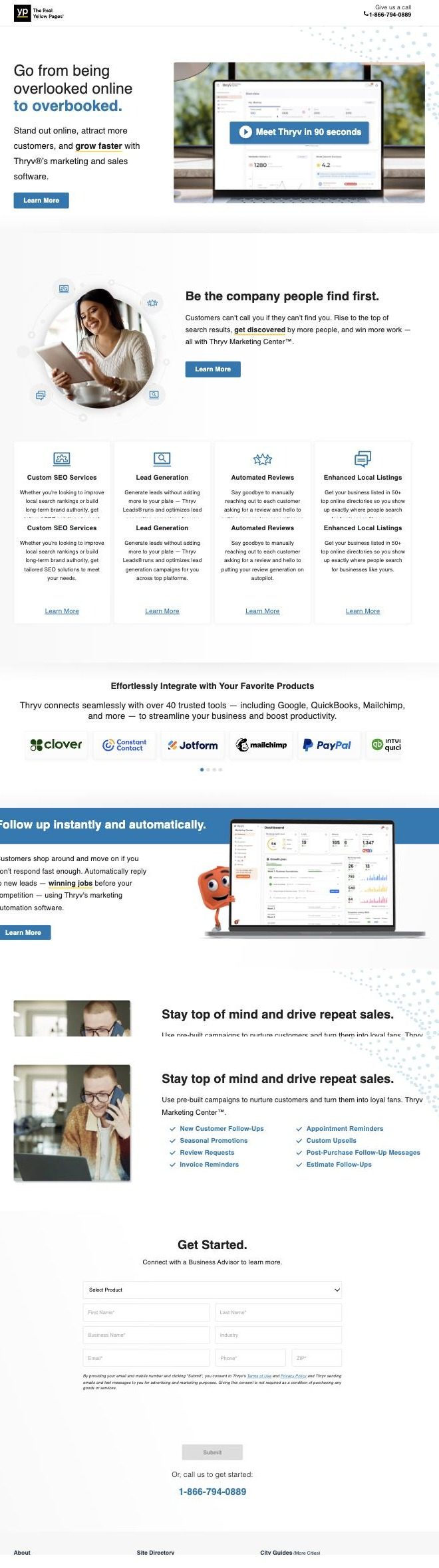
  • One person designed the page that makes the lead and the page that sells to them.
yellowpages.com/marketing-services
Yellow Pages marketing services page, full

Scroll the frame for the full page.

What it promises

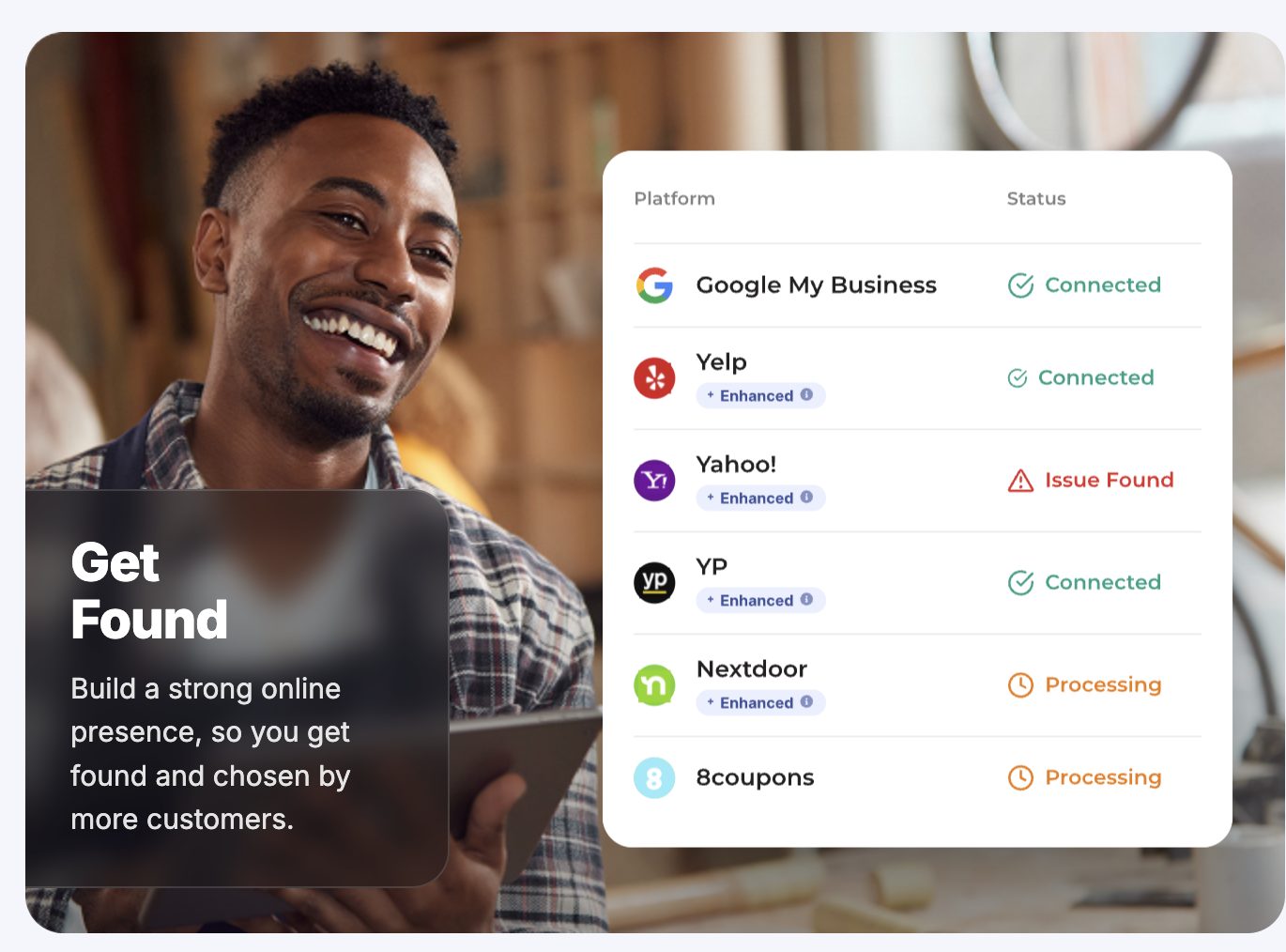
  • Your listing, live across 50+ directories.
  • One place to see whether it worked.
Get Found feature graphic

And where they end up

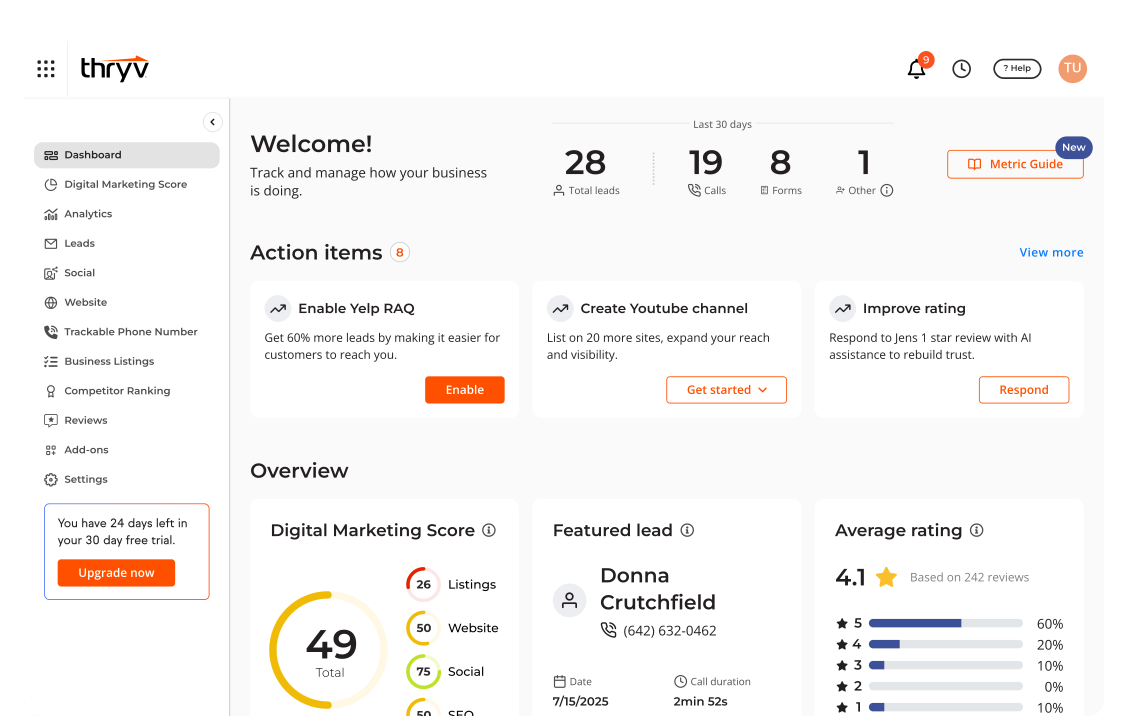
Leads, website traffic, reviews and a week-by-week plan. The listing they claimed is now one input into a product they pay for.

Thryv Marketing Center dashboard

Results

20%

Click-through lift from the homepage

$2.4M+

Annual revenue

Part 02

Superpages search and business profiles

Overview

  • The highest-volume surfaces in the US network
  • Search results and the business profile page
  • Desktop and mobile, rebuilt rather than restyled

What I worked on

  • Results page structure and ad placement
  • Business profile hierarchy and primary actions
  • Mobile map behaviour
  • Request a Quote, co-designed with another designer

The problem

These pages are where the money is made, and the money was below the fold.

Search results

Advertisers were paying for placements people had to scroll to find

On mobile the map took the first screen. Paid listings started underneath it.

Blocked by: a map sized for orientation, not for a phone.

Business profile

The actions that turn a listing into revenue were buried

Call, directions and quote sat below photos and a long description.

Blocked by: a page ordered by information, not by intent.

Search results

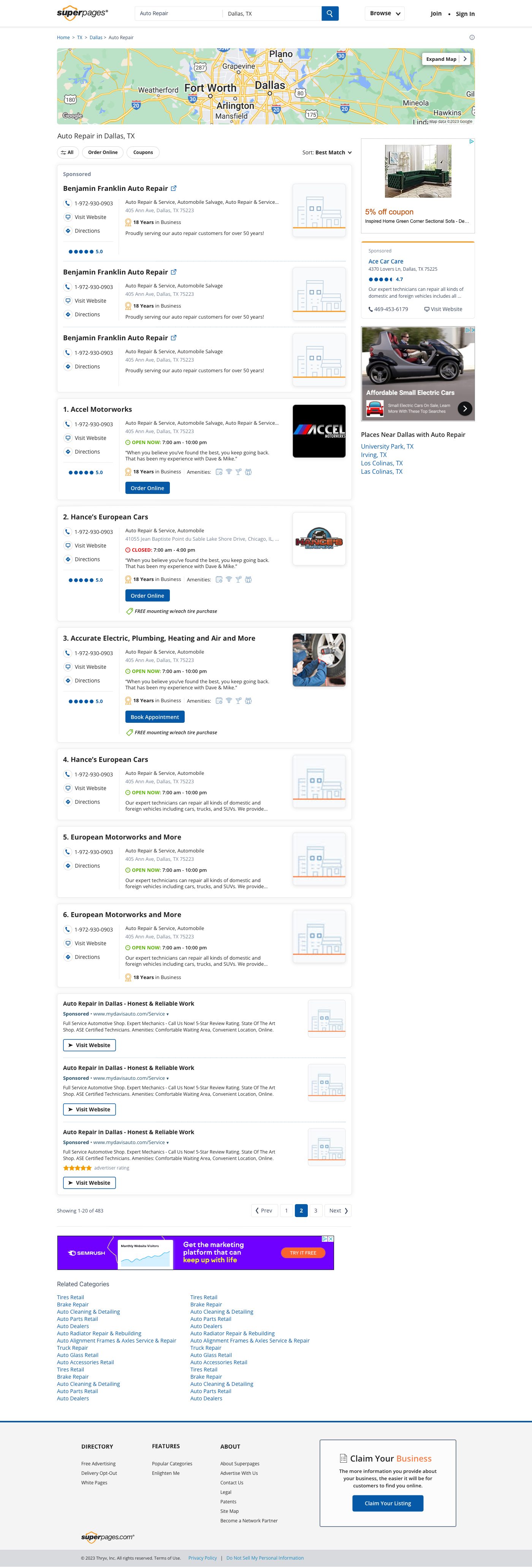
Map shrinks, paid listings move up.

superpages.com · auto repair, Dallas TX
Superpages search results, desktop

Desktop. Sponsored placements sit with organic results, not above a wall of map.

Superpages search results, mobile

Mobile

22%lift in mobile ad click-through

Business profile

Call first, read later.

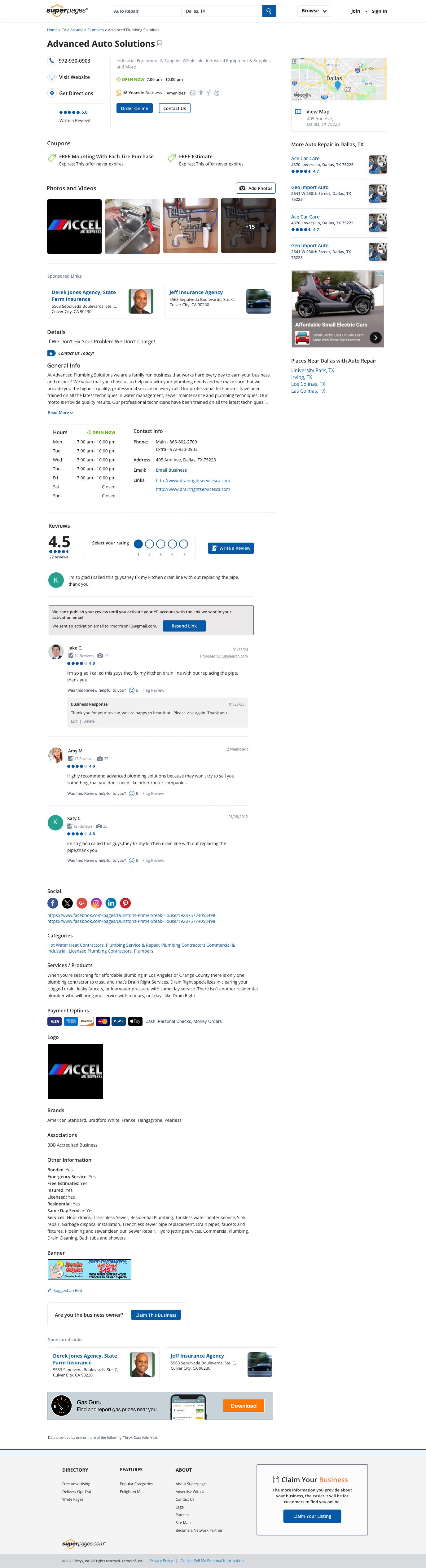
Someone who has reached a single listing has already chosen. The page was reordered around what they do next: call, get directions, ask for a quote. Reviews and photos moved under those, not over them.

business profile · desktop
Business profile page, desktop

Primary actions pinned in the right rail, in view from the top of the page.

Business profile page, mobile

Mobile

24%lift in click-to-call

Request a Quote

The same feature, from both sides.

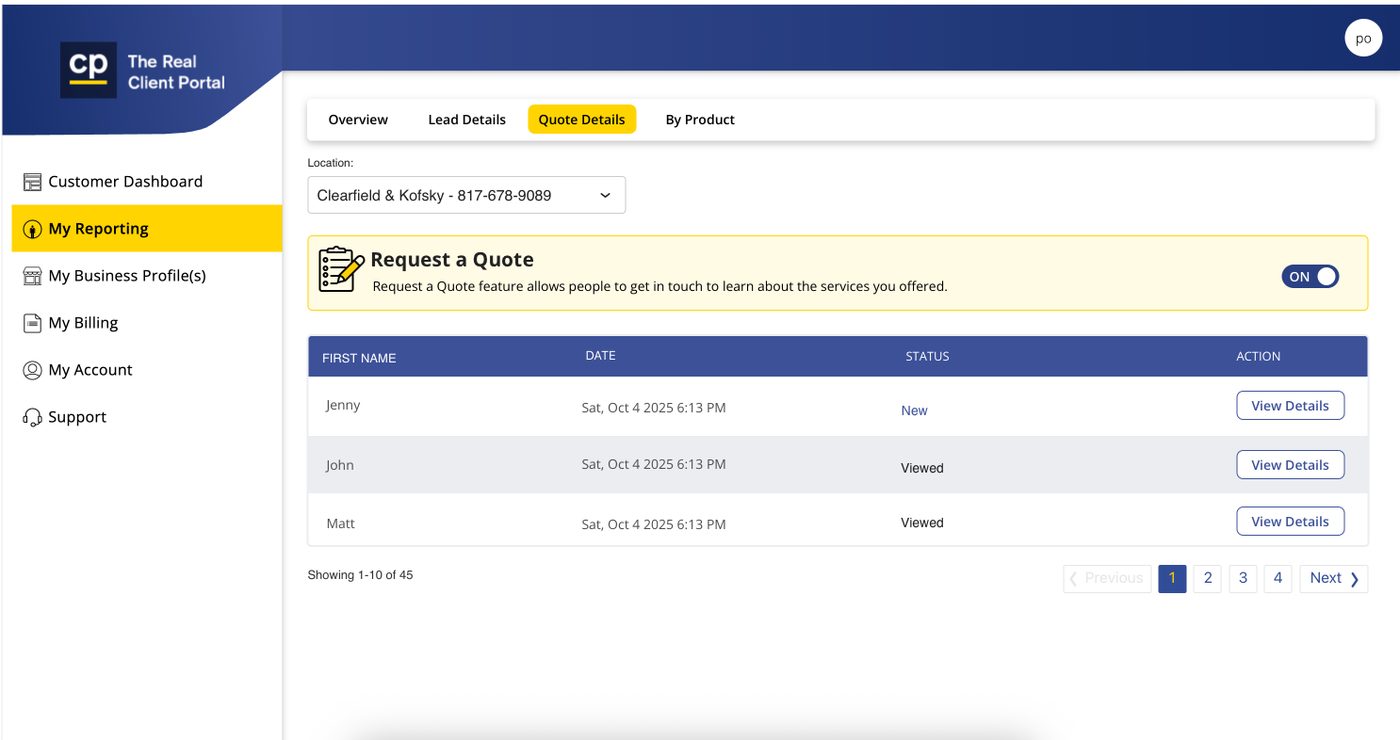
  • A consumer taps Request a Quote on a listing.
  • It lands in the owner's reporting as New, then Viewed.
  • Quotes from other directories arrive in the same place.

Scope: co-designed with another designer on the team.

Client Portal · Quote Details
Client Portal quote details showing incoming leads

Where the quote arrives.

Results

24%

Click to call, business profile

22%

Mobile ad click-through, search results

Part 03

New Zealand, and four stacks becoming one

How the system is split

One set of components, three layers of difference

Shared

Page structures, components, interaction patterns, code. Identical everywhere.

Brand

Colour, type, logo, photography. Yellow Pages, Superpages, DexKnows, Yellow NZ.

Market

Which modules appear and in what order. Set per country, not per brand.

The component is shared. The tokens are per brand. The configuration is per market.

Why market mattered

Market decides which modules appear, and in what order.

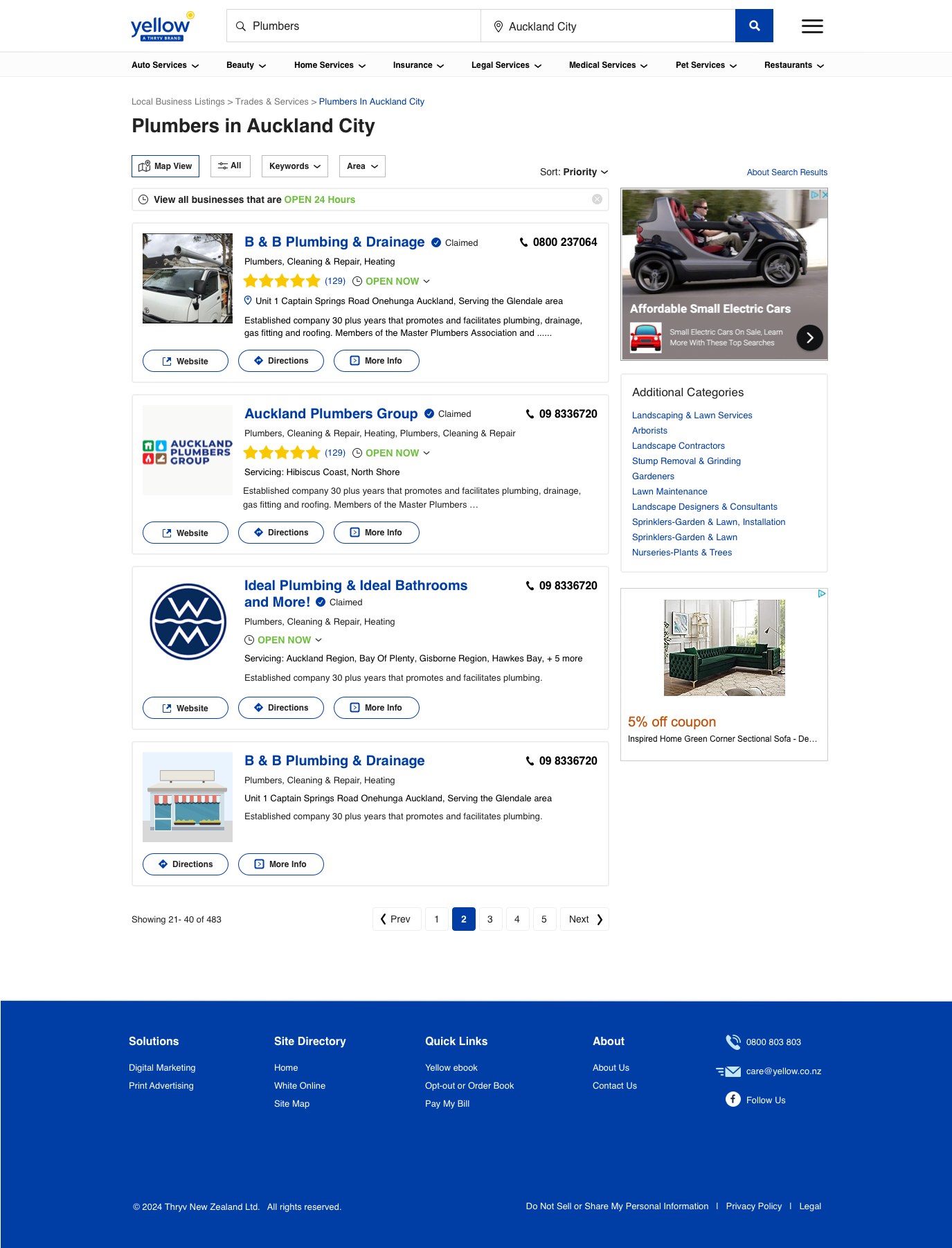
Yellow NZ runs on the same search component as the US brands, carrying its own tokens. What changes between countries is the page configuration, not the components underneath it.

yellow.co.nz
Yellow New Zealand search results for plumbers in Auckland City

Yellow NZ search results. Market-specific modules, shared components.

Yellow New Zealand search results on mobile

Same result component, NZ tokens

Brand only

DexKnows changed nothing but the paint.

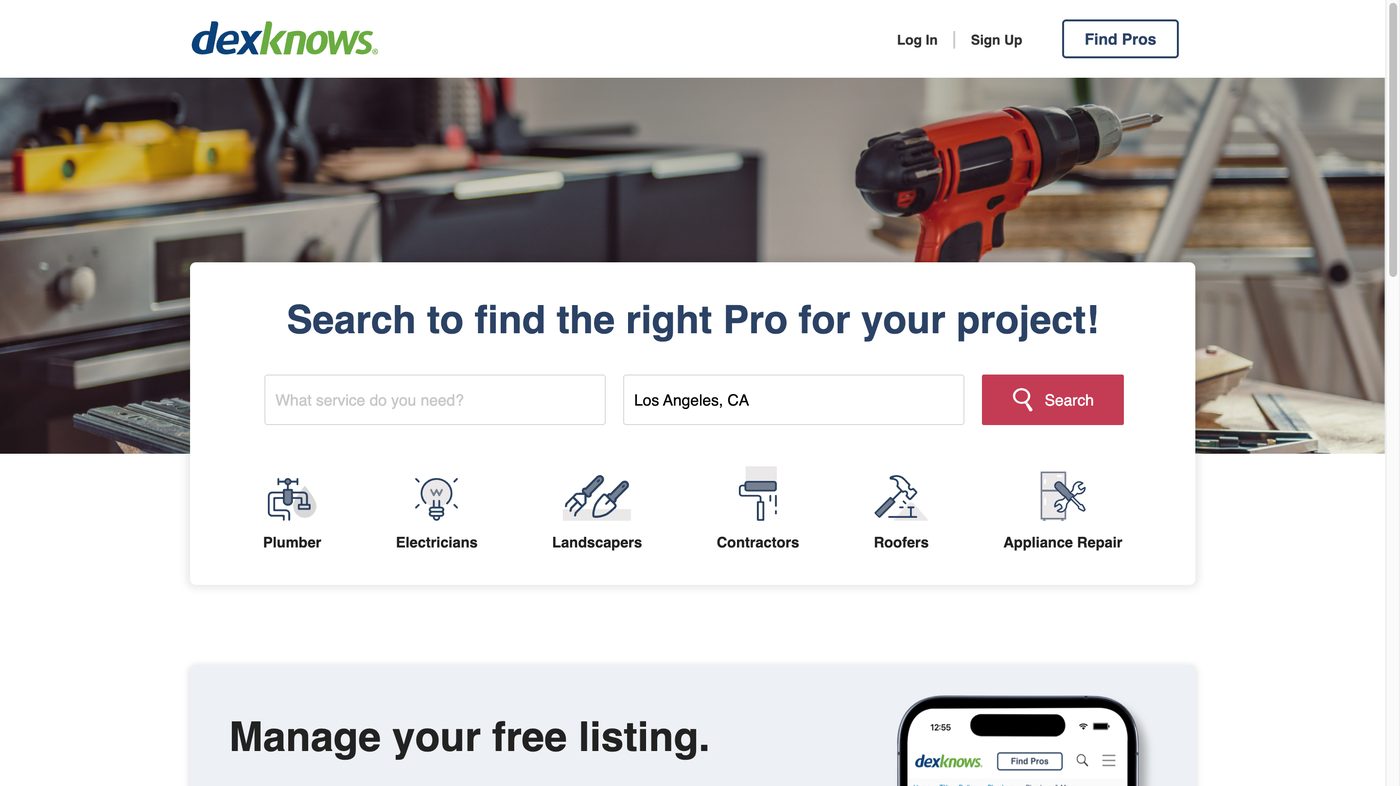
Once the layout was proven on Yellow Pages, DexKnows took the same structure with its own tokens. No new components, no new patterns. That is the test of whether a system is real.

dexknows.com
DexKnows homepage
DexKnows, US
yellowpages.com.au
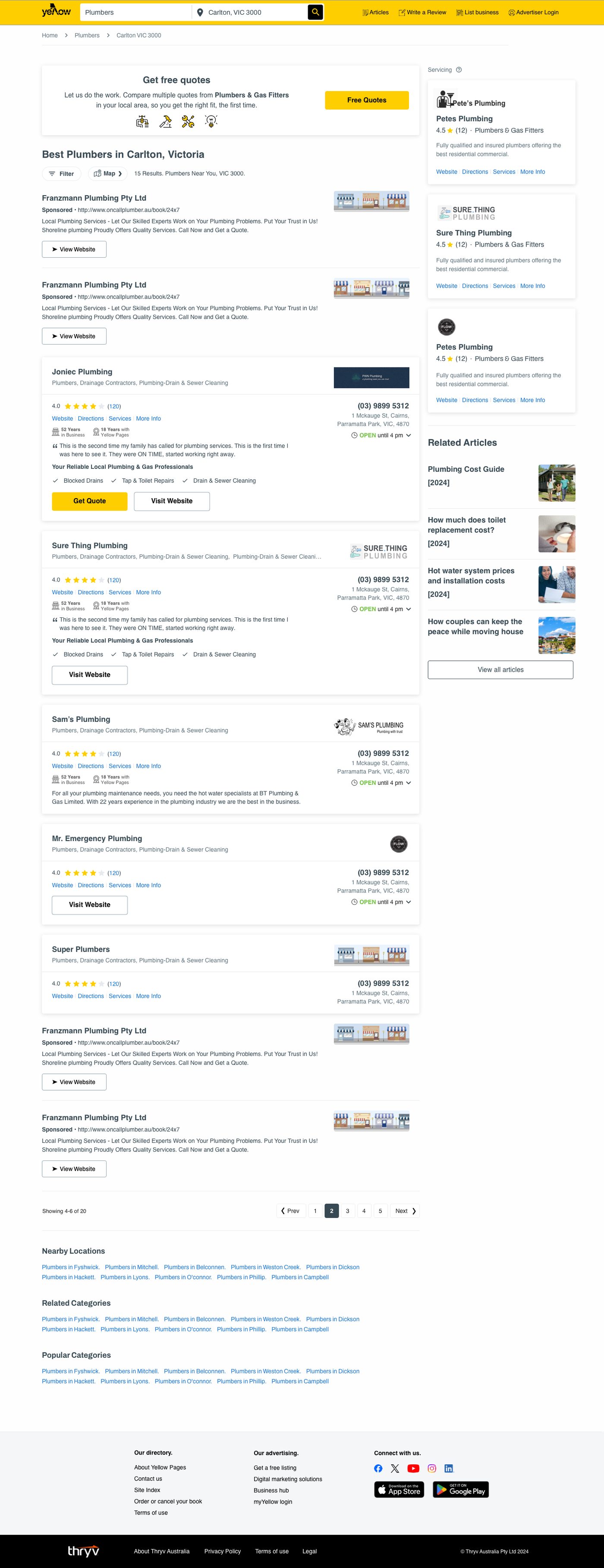
Yellow Pages Australia search results
Yellow Pages, Australia

Results

4 → 1

Legacy stacks consolidated

2

Hemispheres on one component library

Part 04

Shipping the app to iOS and Android

Scope, stated plainly

  • Updates inside an existing pattern library
  • Onboarding, home, edit listing
  • Not a ground-up app redesign

Why it is here

  • It is how a two-platform handoff actually worked
  • One source file, two sets of specs

The screens

YP app onboarding

Onboarding

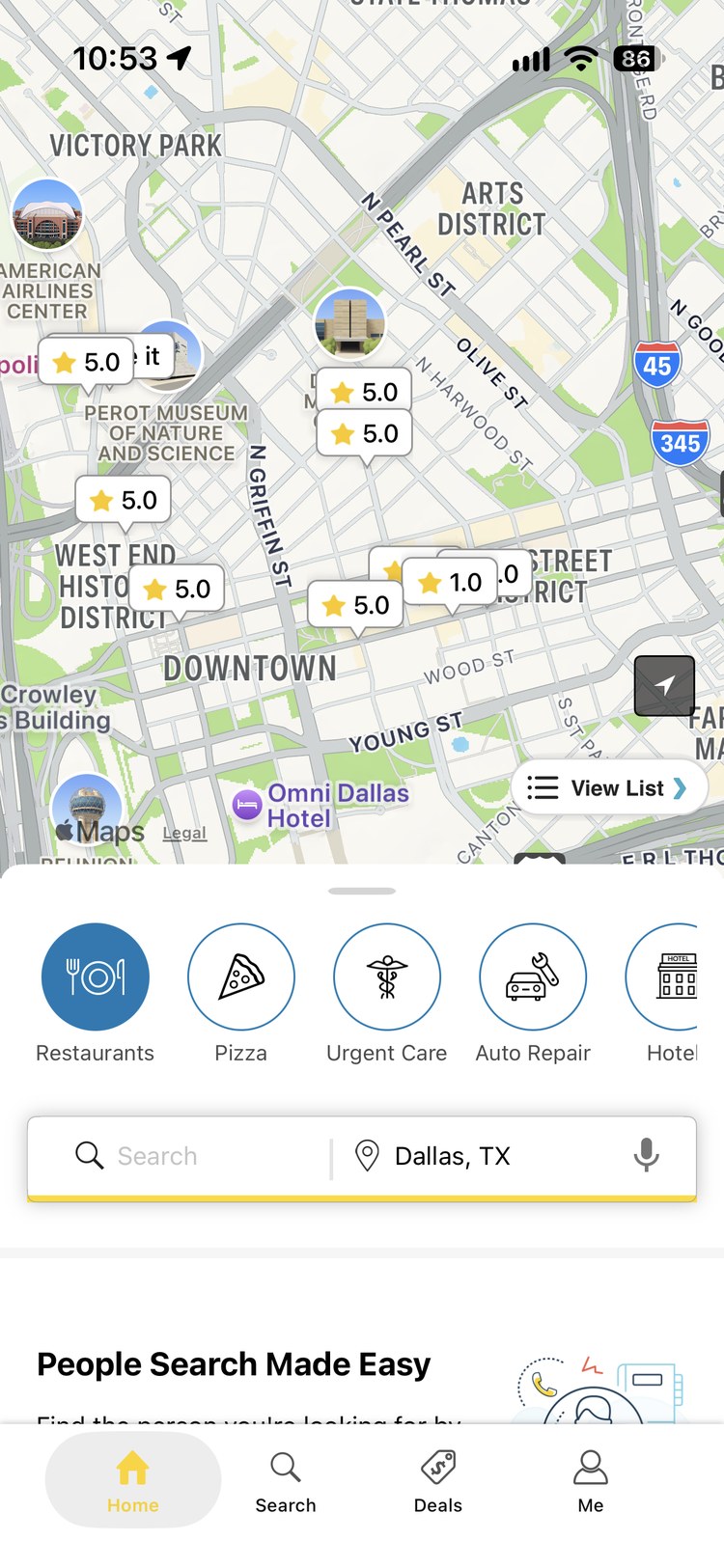
YP app home, map with ratings and category shortcuts

Home

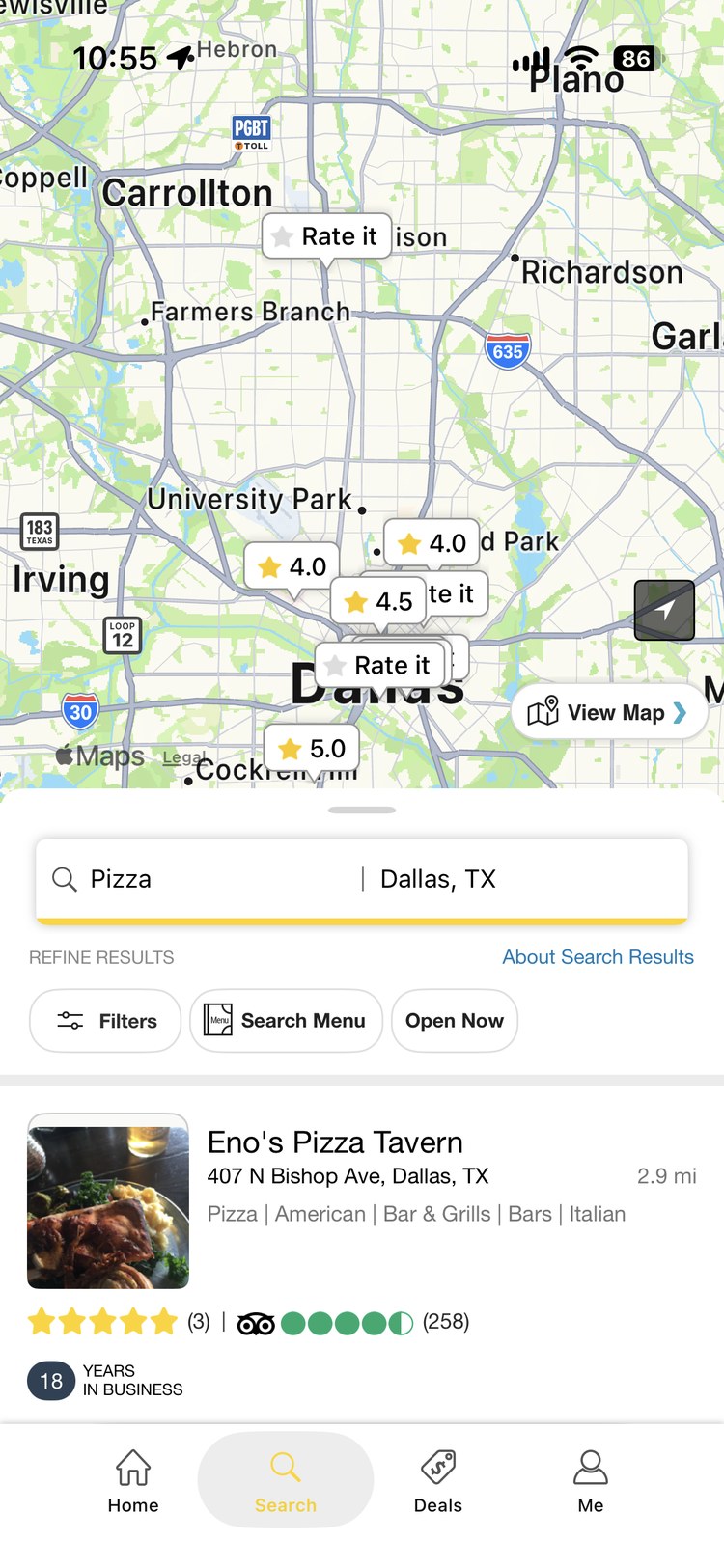
YP app search results for pizza in Dallas

Search results

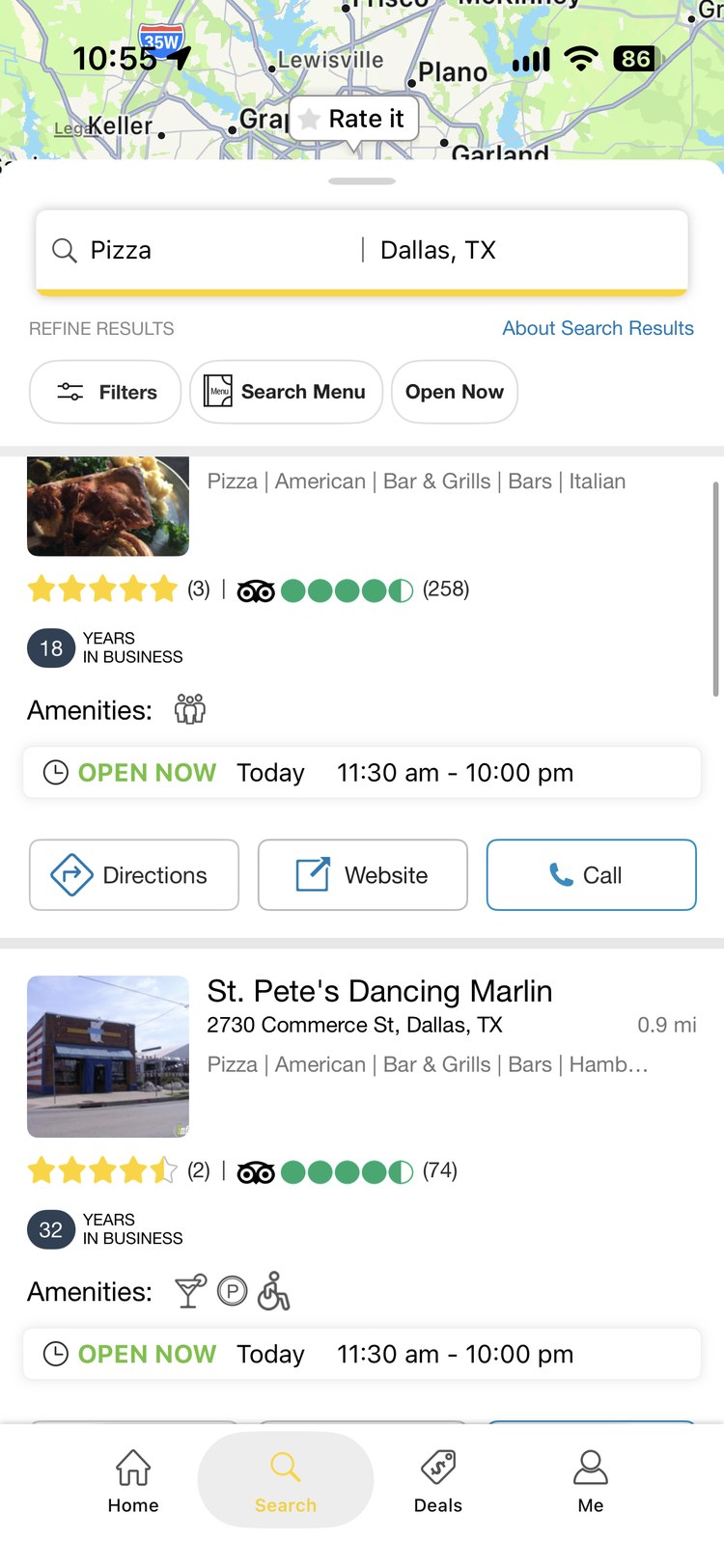
YP app business listing with hours and call, directions and website actions

Listing actions

The handoff

One Sketch file, published twice.

The file went to Zeplin as two projects, one set to iOS and one to Android. The project type is what converts it.

iOS project

  • Measurements in points
  • Assets at @1x, @2x, @3x
  • Swift snippets for engineers

Android project

  • Layout in dp, type in sp
  • Assets at mdpi through xxxhdpi
  • XML snippets for engineers

What the tool does not do: Zeplin converts units and assets. It does not make a design platform-appropriate. Those calls stay with the designer.

Where the platforms diverge

Three places, and only three.

01

Back behaviour

Android has a system back that lives outside the app. Every screen needs a defined answer for it. iOS does not.

02

Native controls

Action sheets against bottom sheets, alerts against dialogs, the pickers and the switches.

03

Type and density

sp scales with the user's system font size, so Android text grows. Long business names break layouts iOS never would.

Everything else was shared. That is what let a team this size keep both platforms moving at the same time.

If I did it today

  • Figma Dev Mode instead of ZeplinSame specs, plus code output per platform.
  • Variable modes for platformOne component resolving to iOS or Android values.
  • Variants for the controls that differRather than two separate screens.
  • Dynamic Type tested earlyThe thing that actually breaks Android layouts.