← Back

Live AI Agent for Georgia Jean

AI ProductAgent UX Product StrategyFounderShipped

Summary

Georgia Jean sits in on a call or a solo brainstorm. She listens, flags tension, gives feedback when you ask, and writes a build prompt as you talk, so you leave with something Claude Code can build. I founded, designed and built her.
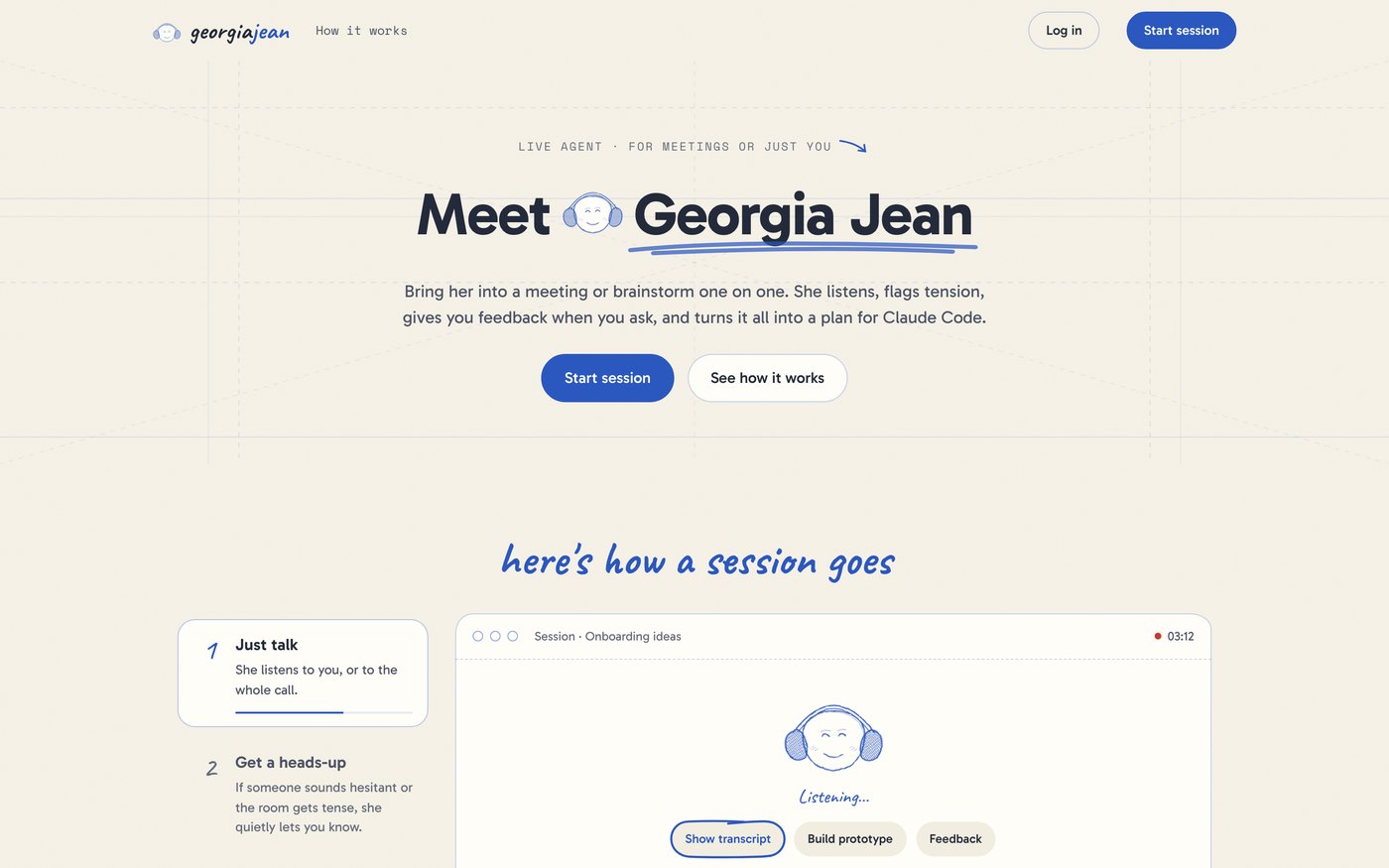
The Georgia Jean landing page on desktop
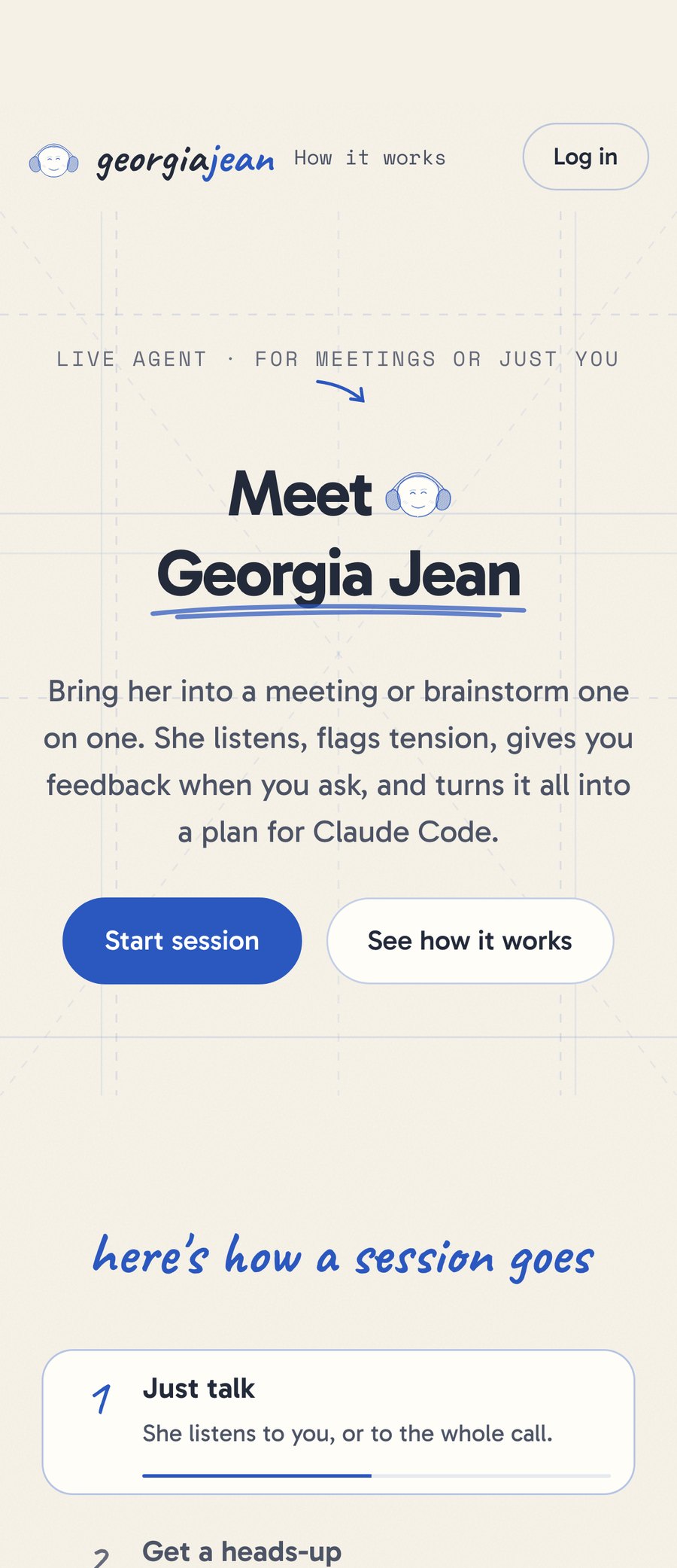
The landing page on a phone

Role

Founder, designer and builder

Team

Solo

Timeline

April to October 2026

Tools

Figma, Claude Code
Part 01

The product

The problem

Talking and building happen on different days.

Talk it through

You brainstorm the idea on a call.

Write it up

After everyone hangs up, someone turns it into a plan.

Build it

The building happens on another day.

Claude Code builds a prototype in minutes. Turning a conversation into instructions is the slow part. Georgia Jean does it while you talk.

What it looks like now

A session, mid-call.

meeting-agent-sage.vercel.app
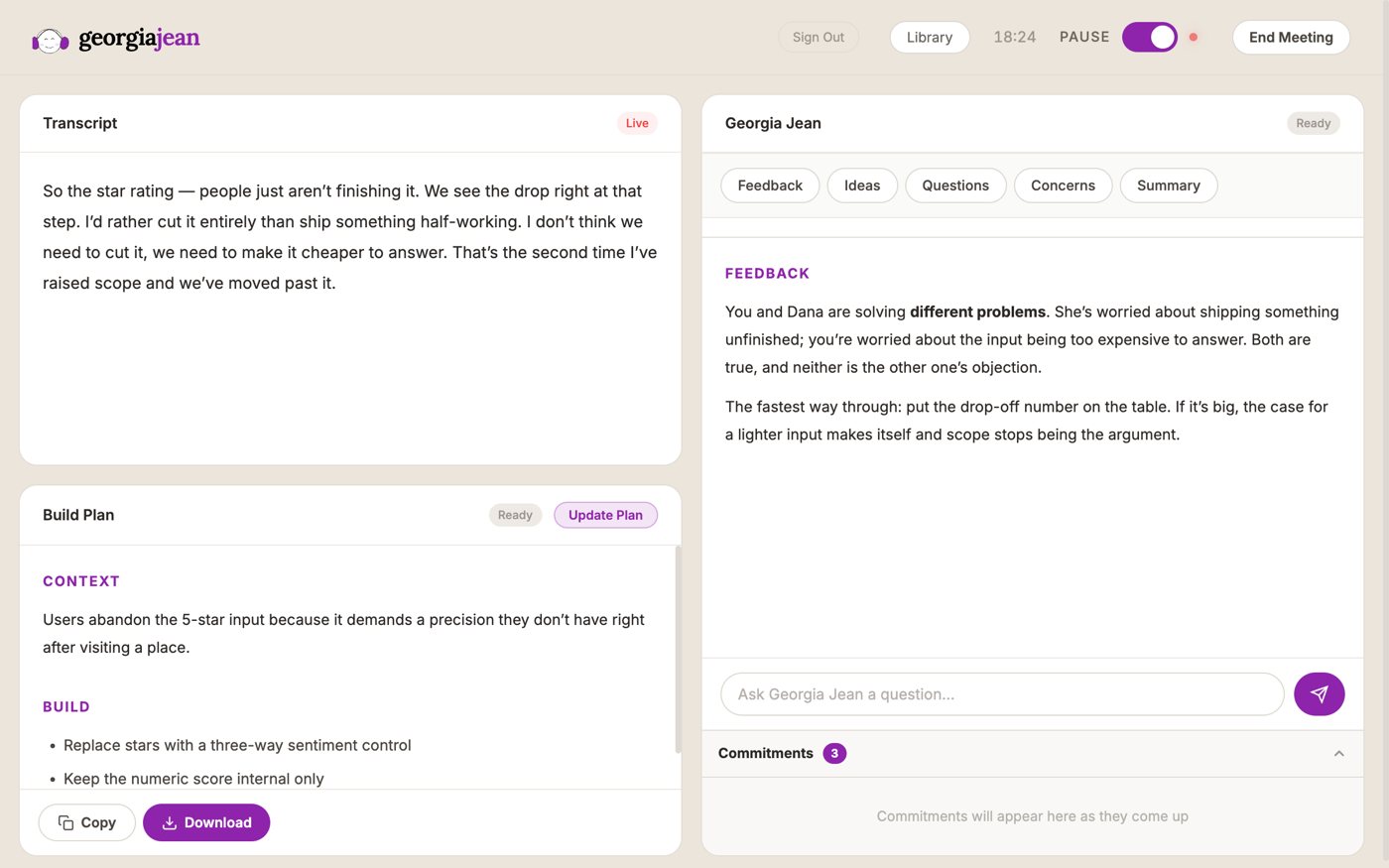
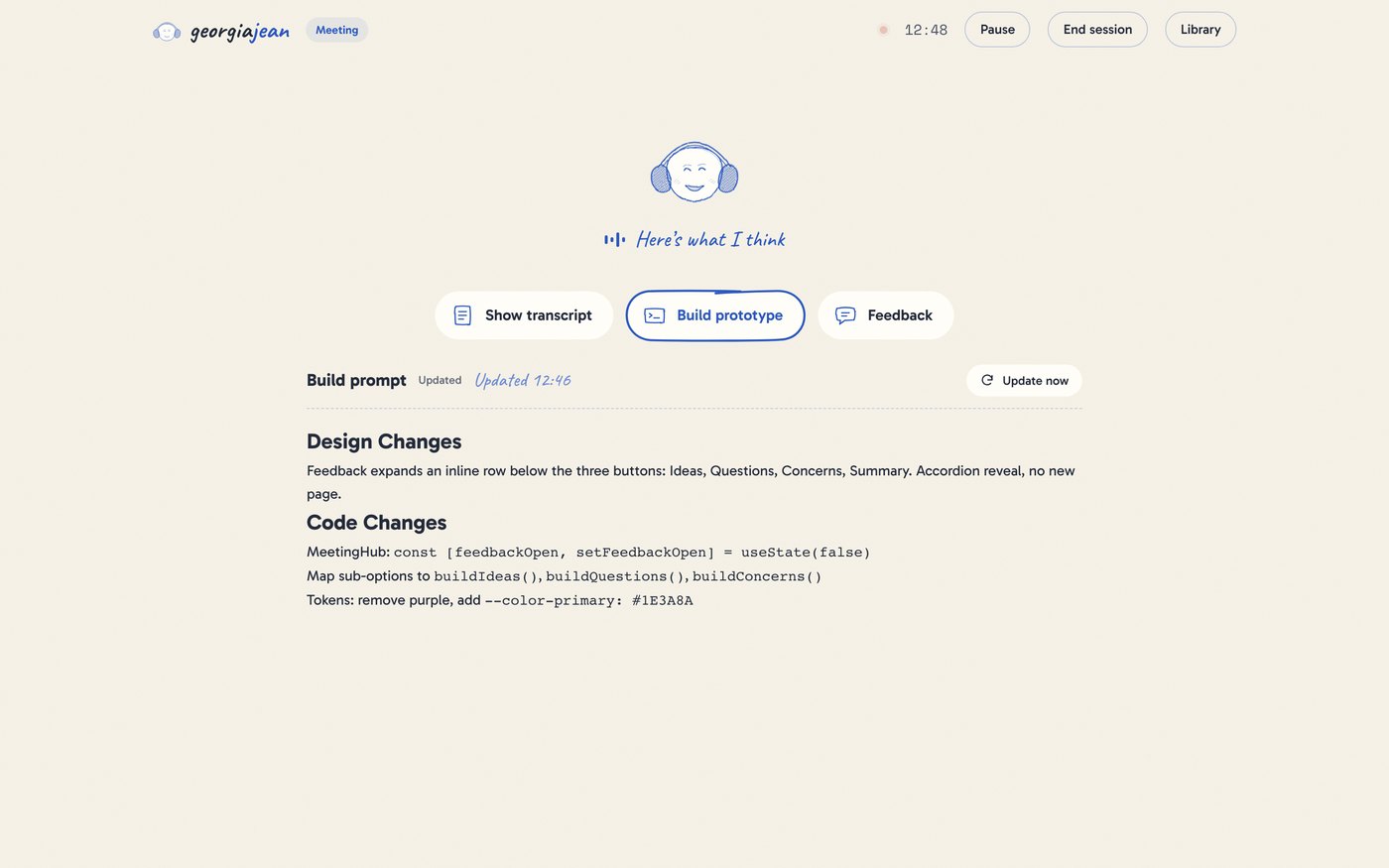
A live session with the build prompt open

She listens, and the build prompt underneath keeps updating as decisions are made.

Under the hood

What she runs on.

Georgia JeanA web app in Chrome. Nothing to install.
DeepgramLive speech to text, with labels for who is speaking.
ClaudeHer answers, the heads-ups, commitments and the build prompt.
SupabaseAccounts, Google sign-in and saved sessions.

Every AI service sits behind a login.

Part 02

Designing for the wait

The problem

AI answers take a few seconds. The screen has to show she's working.

She is in the session for its whole length, doing something different minute to minute. A spinner in one corner can't say that, so her state is shown on her.

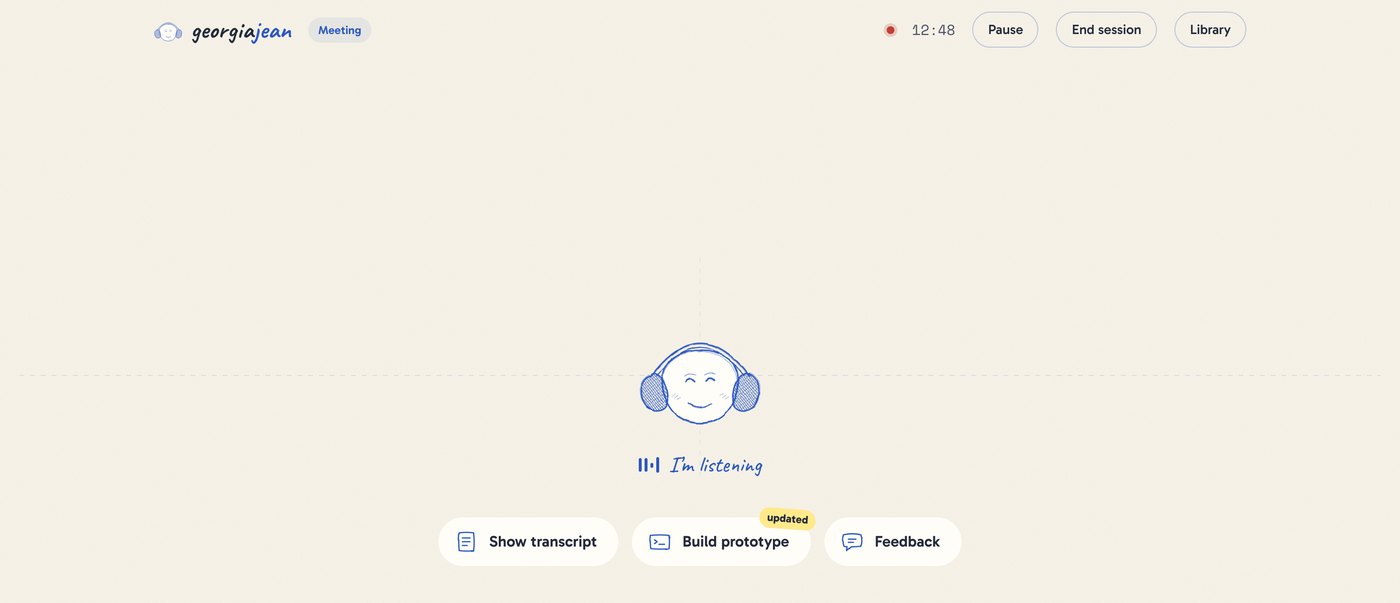
Listening

Listening. Her eyes stay closed and she nods along, faster while someone is talking.

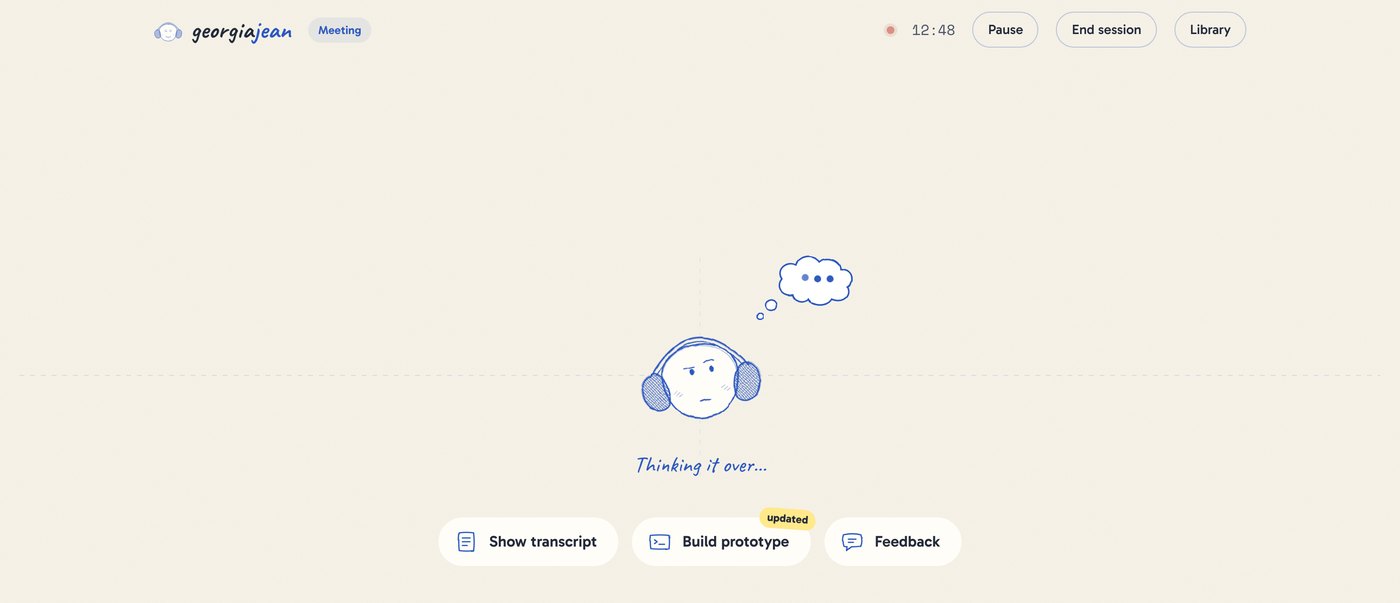
Thinking

Thinking. She looks up with her head tilted, and a thought cloud appears while Claude works.

Her status line Ready when you areI'm listeningThinking it over…Here's what I thinkHeads upPaused
PsychologyLabor IllusionPeople value a result more when they can see the work behind it.The same few seconds feel like lag behind a spinner, and like thinking behind a thought cloud.

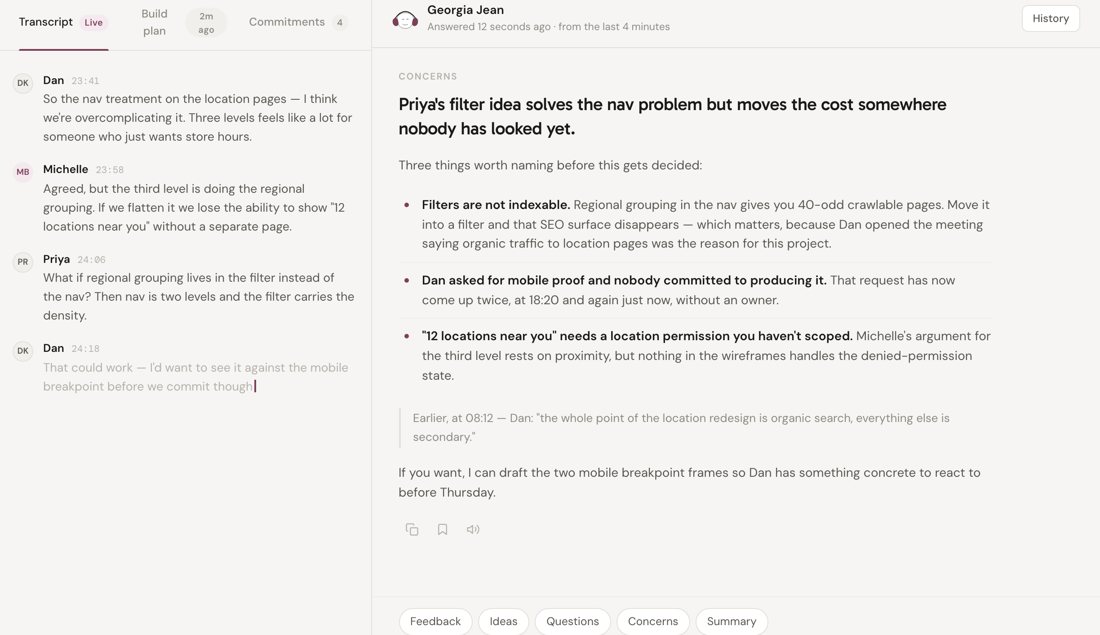
Answers

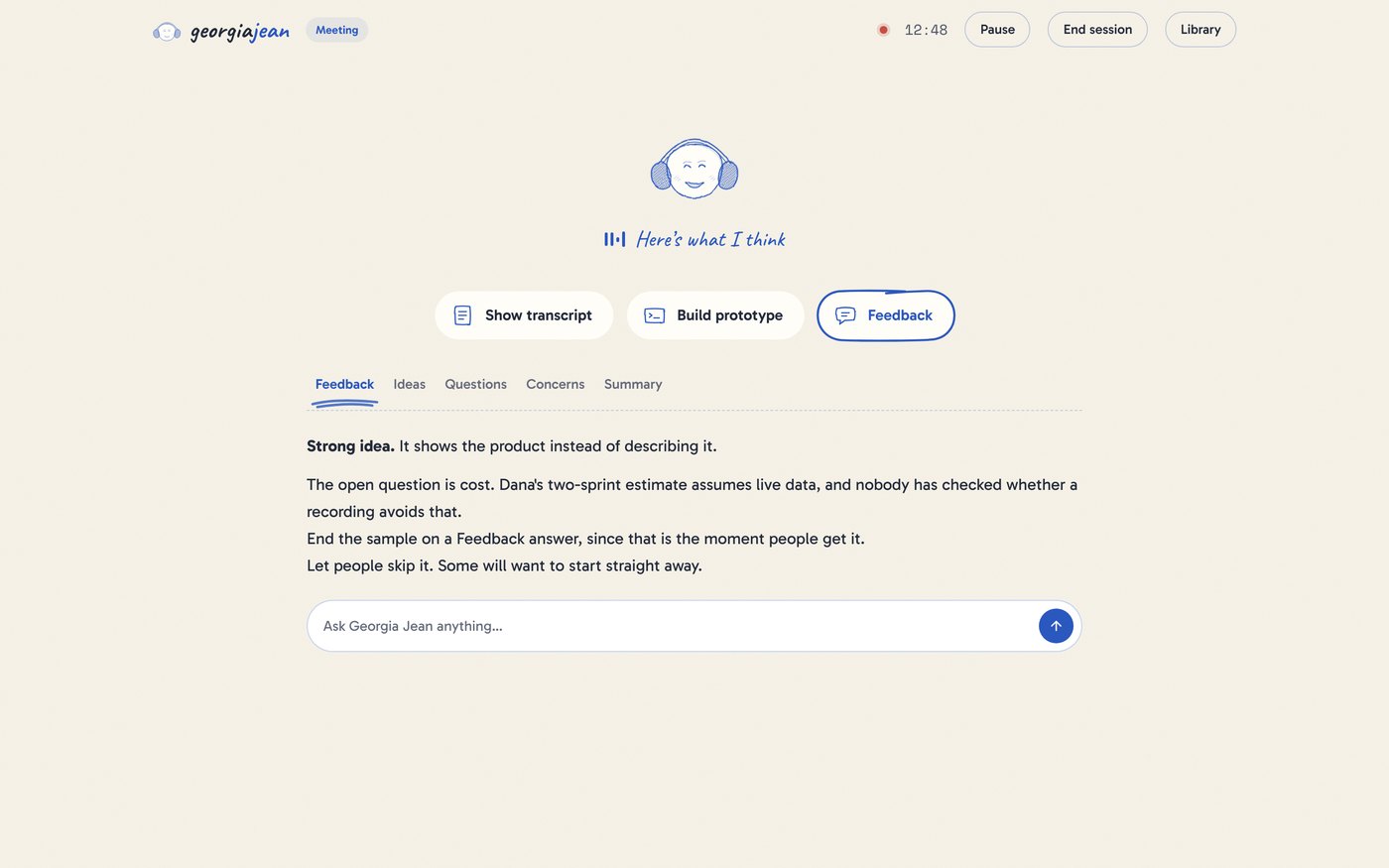
Her answers stream in as they're written.

A feedback answer
  • StreamingYou start reading before she has finished.
  • Five ways to askFeedback, Ideas, Questions, Concerns and Summary, or type your own question.
  • Read aloudAny answer can be read out loud.

The build prompt

Background work you can hurry along.

The build prompt panel
  • Every 60 secondsShe rewrites the prompt in the background, only when something new was said.
  • Update nowRight after a decision, you can ask for it straight away.
  • A timestamp and an "updated" tagSo you know how fresh it is, even with the panel closed.

Part 03

When an AI should speak

By default

She waits to be asked.

In a live call, an AI that keeps talking competes with the people in it. So feedback is always on demand: one tap on a button under her.

PsychologyHick's LawMore choices on screen means a slower choice.In April I took Build Prototype, Draft Email and Draft Calendar Invite off the live bar. They moved to the recap, where you actually want them.

The one exception

Tension, by a clear rule.

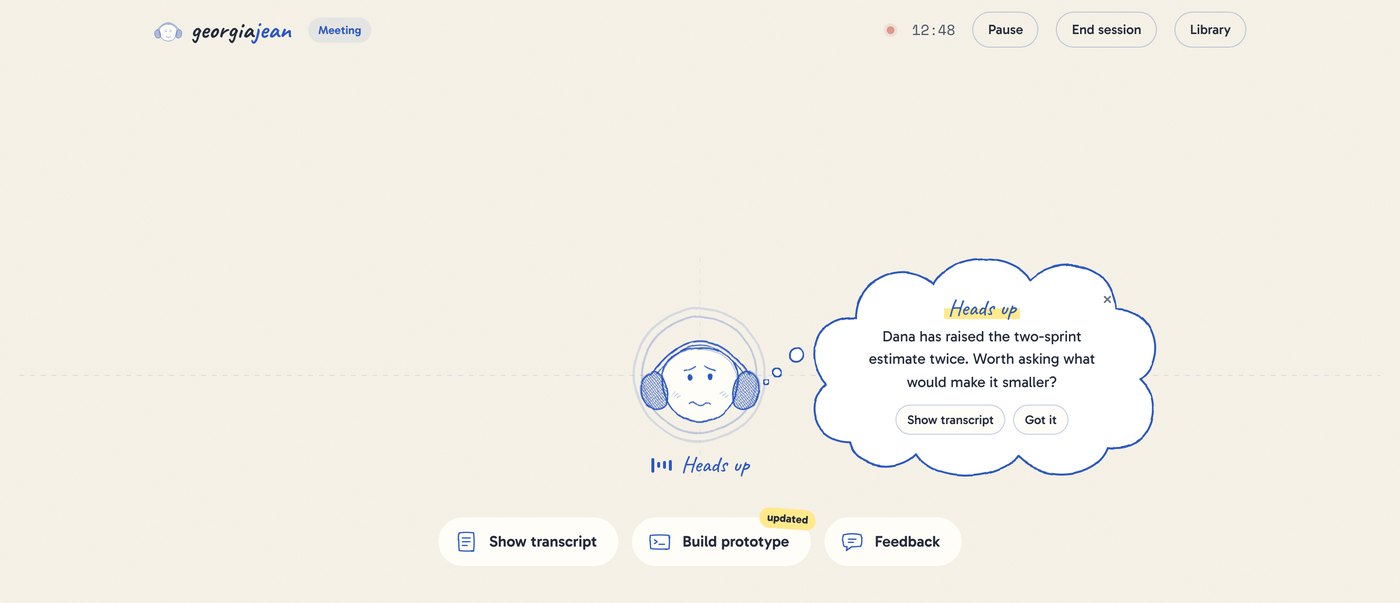
A heads-up in a thought cloud
  • The ruleA topic repeated three or more times without resolution, a disagreement going back and forth, or a decision that has stalled.
  • What she saysOne sentence on the issue, and one suggestion: a reframe or a decision to make.
  • How it looksA worried face, a quick shake of the head, and a thought from her, in pen blue. Red in a live call reads as something broke.
  • Your callShow transcript to see where it happened, or Got it to dismiss.

Part 04

Writing for another AI

How she writes for Claude

She writes in the language Claude Code uses.

Claude Code works best with component names, files, state and design tokens. She writes the conversation up in that language, in two sections, the whole time you talk.

From one of my sessions

## Design Changes
Feedback expands an inline row below the
three buttons: Ideas, Questions, Concerns,
Summary. Accordion reveal, no new page.

## Code Changes
MeetingHub: const [feedbackOpen,
  setFeedbackOpen] = useState(false)
Map sub-options to buildIdeas(),
  buildQuestions(), buildConcerns()
Tokens: remove purple, add
  --color-primary: #1E3A8A

Two sections, every timeDesign Changes for components, layout and copy. Code Changes for files, logic, APIs and data.

Always the latestRewritten from the whole conversation, so when a decision flips, the old one is gone.

The button says "Copy for Claude". It used to say "Send to Claude Code", which promised something it didn't do.

Part 05

In the room

How she hears the call

Four ways to listen in. I picked the one with no bot.

Chrome extensionA side panel was the obvious home, but Chrome blocks the microphone there.
A bot that joins the callShows up in the participant list. People notice it and hedge.
Native Mac appClean capture, but too big a rebuild.
Share the call's tabRuns in the browser, hears everyone, and nobody new joins the meeting.
PsychologyHawthorne EffectPeople act differently when they know they're being observed.A named bot in the call changes the conversation she's there to hear.

I also replaced the browser's built-in speech recognition, which stalled and misheard, with Deepgram streaming, which labels who is speaking.

The first question

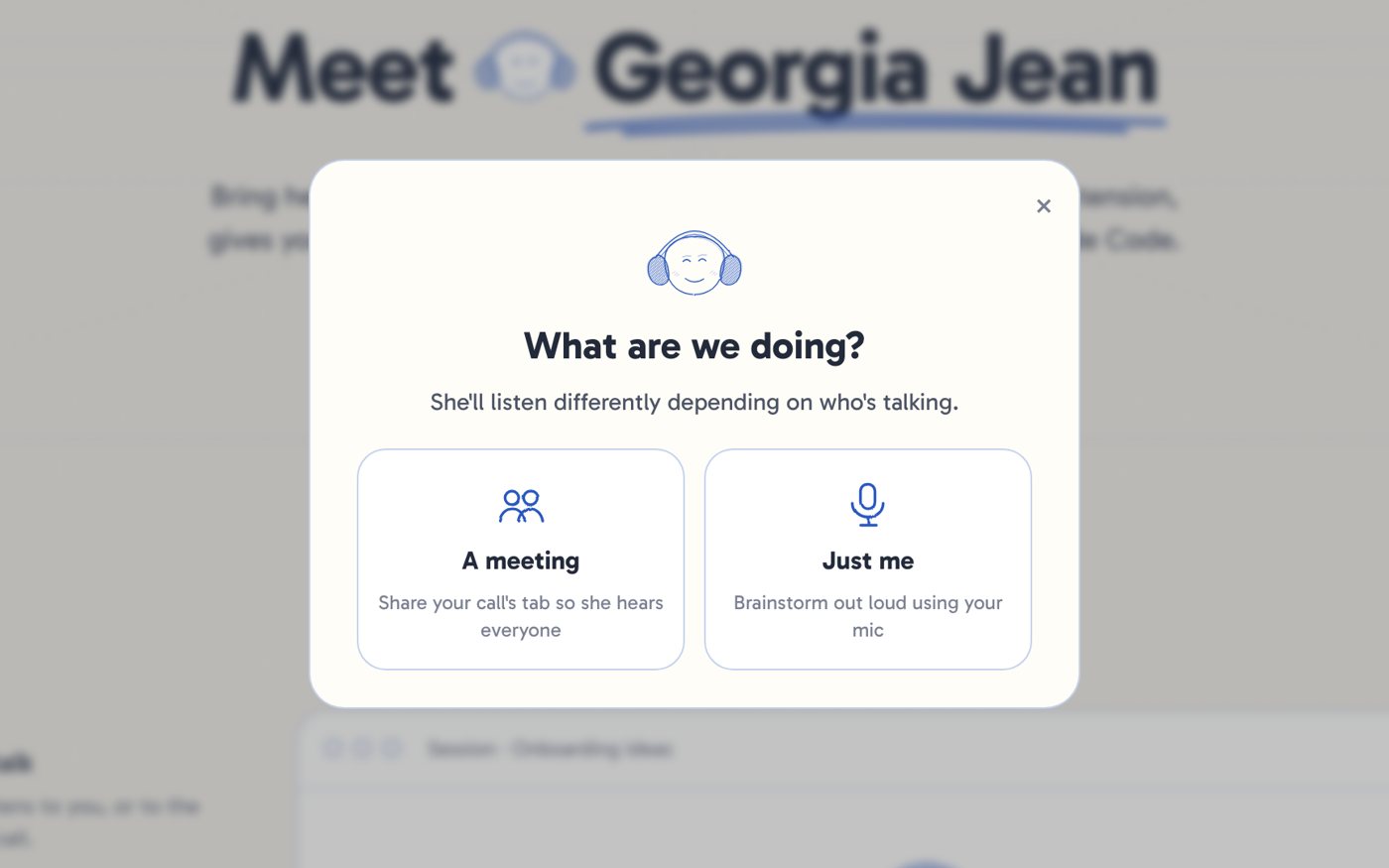
Every session asks who she's listening to.

The choice between A meeting and Just me
  • "Start session", not "Start meeting"Because she isn't only for meetings.
  • A meeting shares the call tabSo she hears everyone.
  • Just me uses the micNo screen-share step at all.

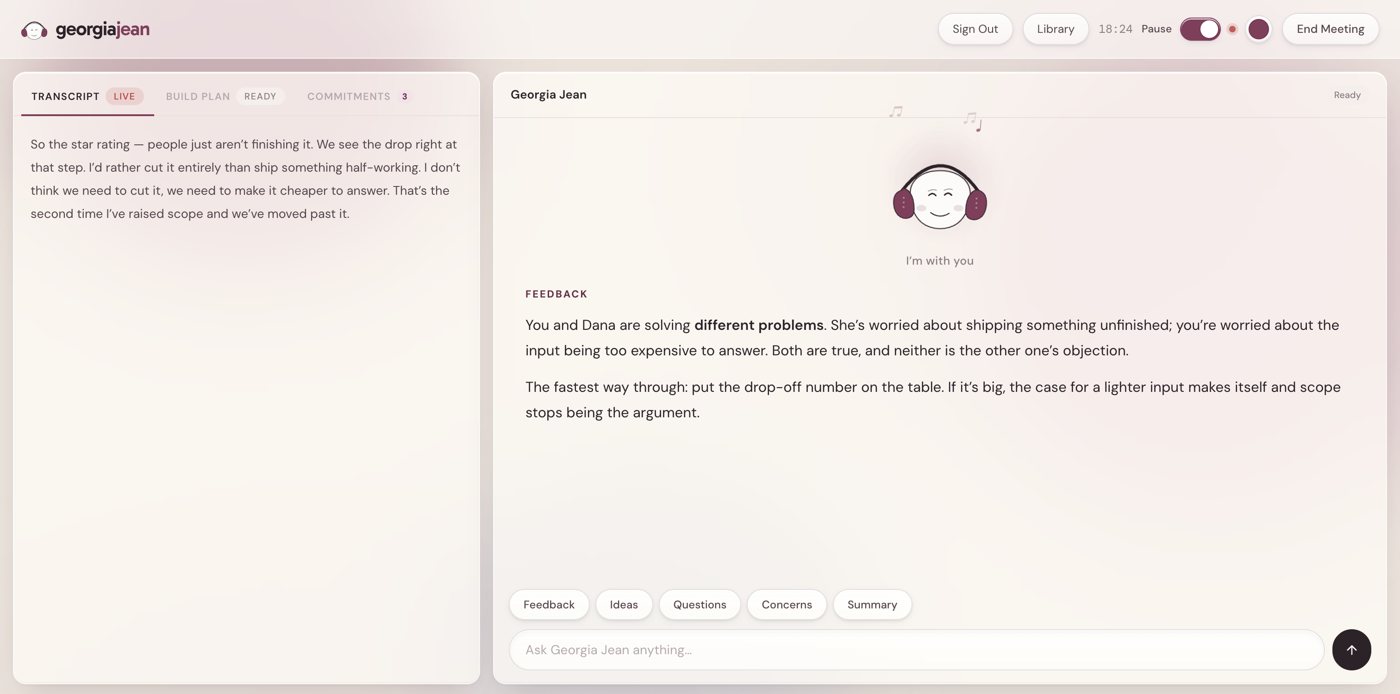
The session screen

Her face, three buttons, one panel at a time.

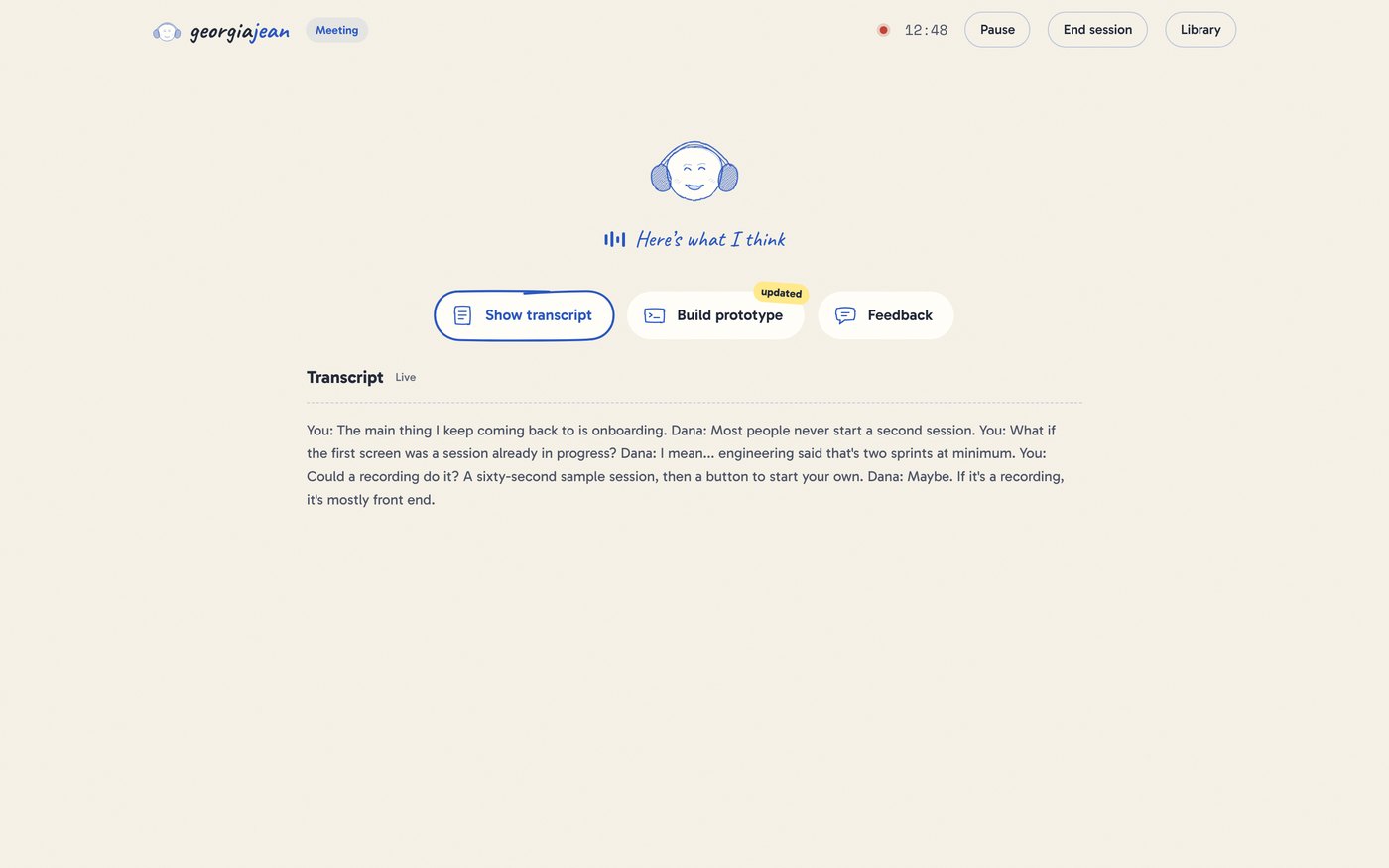
Her stateHer face, a nod, clouds and a status line.

Meeting or Just meHow she's listening.

The session screen while she listens

Three buttonsTranscript, Build prototype, Feedback.

Pause and EndTop right, through the whole session.

Part 06

Designing her

Layouts I tried

She's an agent, not a note taker.

Every layout I dropped was shaped around notes. The one that stuck put her answer in the middle.

Glass panels
v1 Glass panelsThe panels lost their edges and the text got hard to read.
Sidebar workspace
v2 Two panelsEqual weight side by side. Too much at once, nothing to act on.
One long column
v3 One long columnShaped like a note taker. She's an agent.
The final design: paper and pen
Final: Paper and penHer in the middle, three buttons, her moods shown on her face.

Three versions

Same product, three redesigns.

AprilFirst build
April version
AugustGlass panels
August version
OctoberPaper and pen
October version

Landing page

Say what she does, then show it.

The landing page
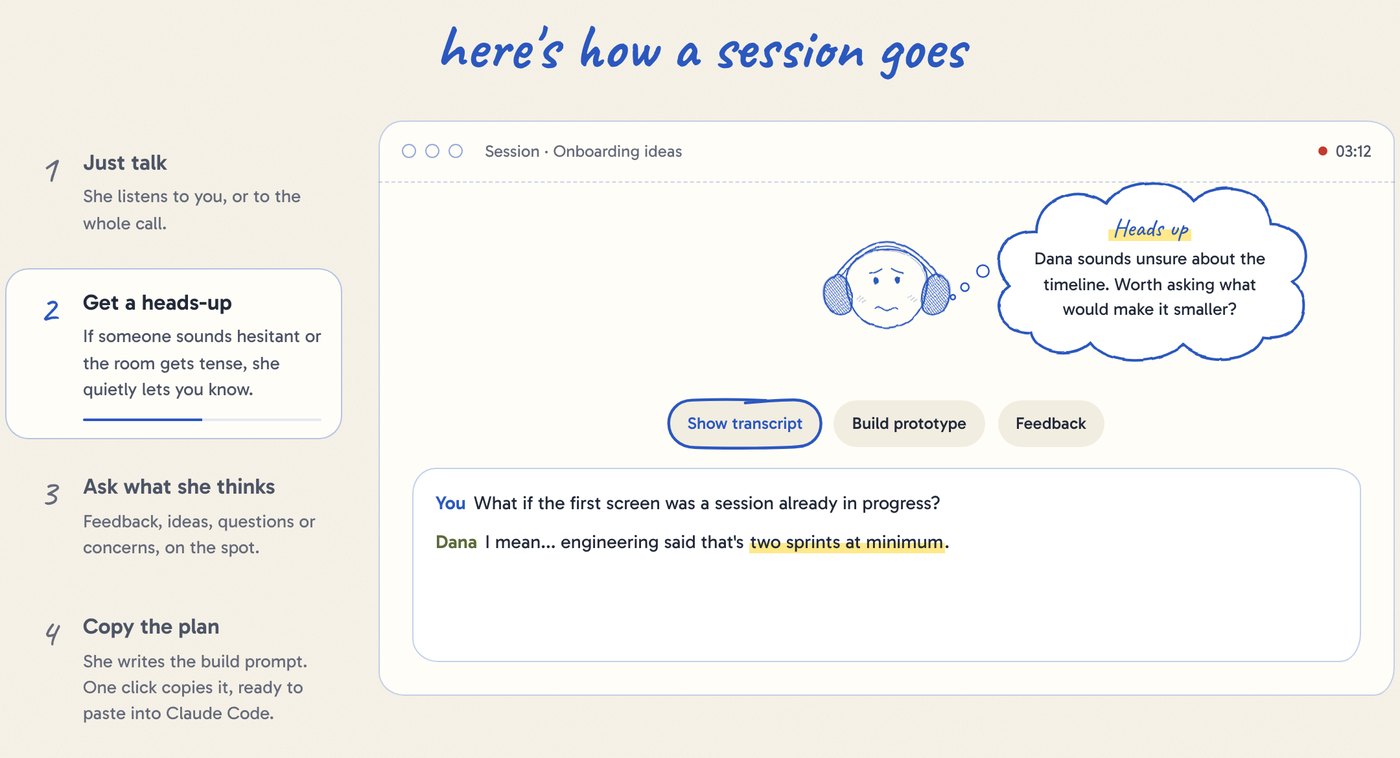
Walkthrough: heads-up step
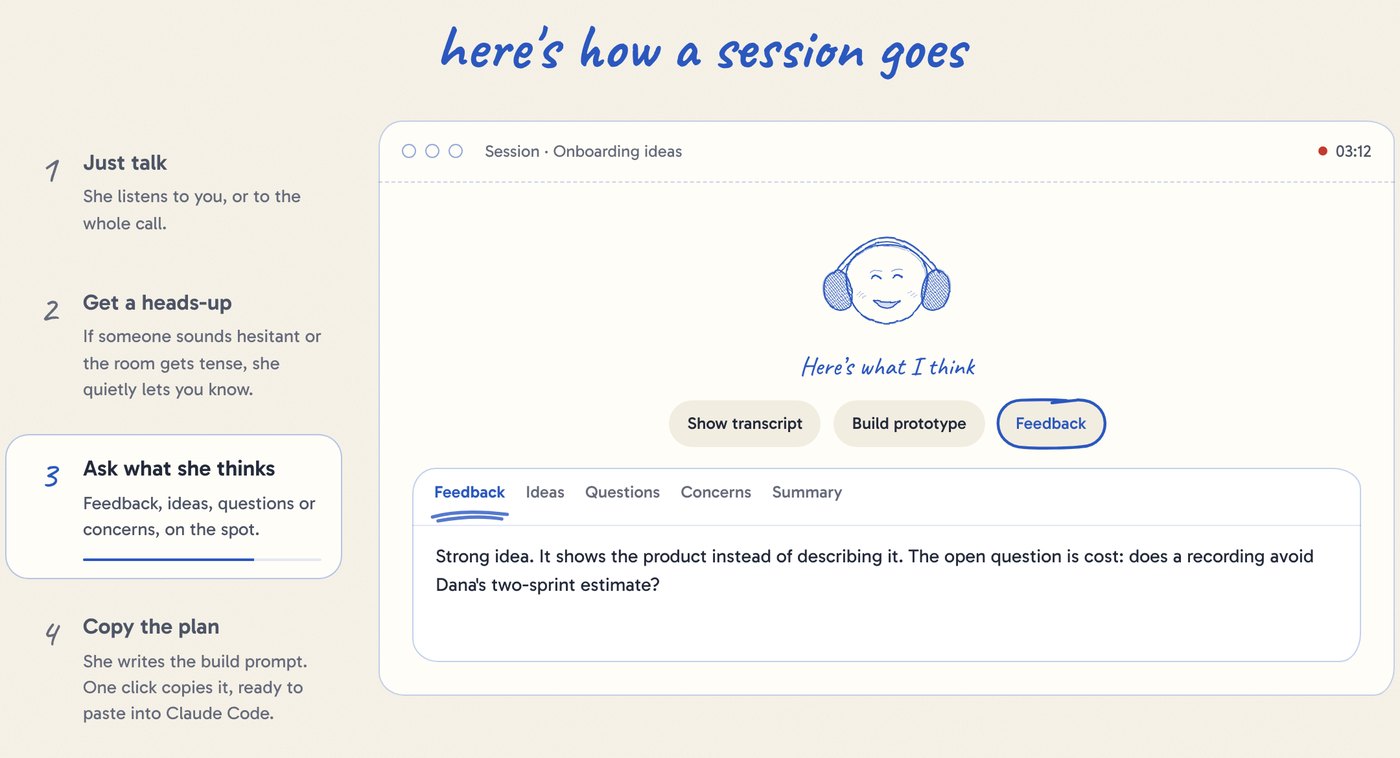
Walkthrough: feedback step
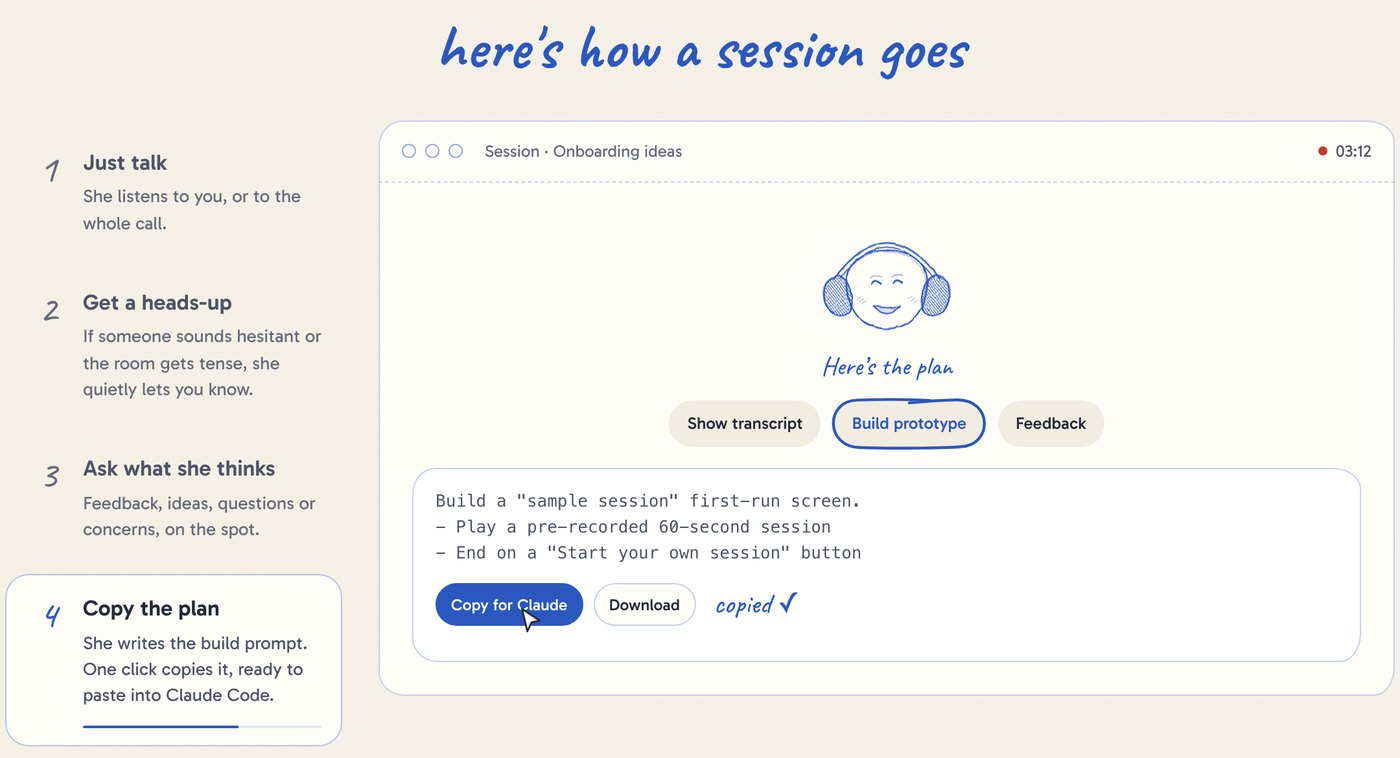
Walkthrough: copy step

Below the hero, a four-step walkthrough plays itself in a small window, with a pointer clicking through. Her face changes with each step, the same way it does in a session.

The three panels

Each button opens one panel below.

The transcript panel
The build prompt panel
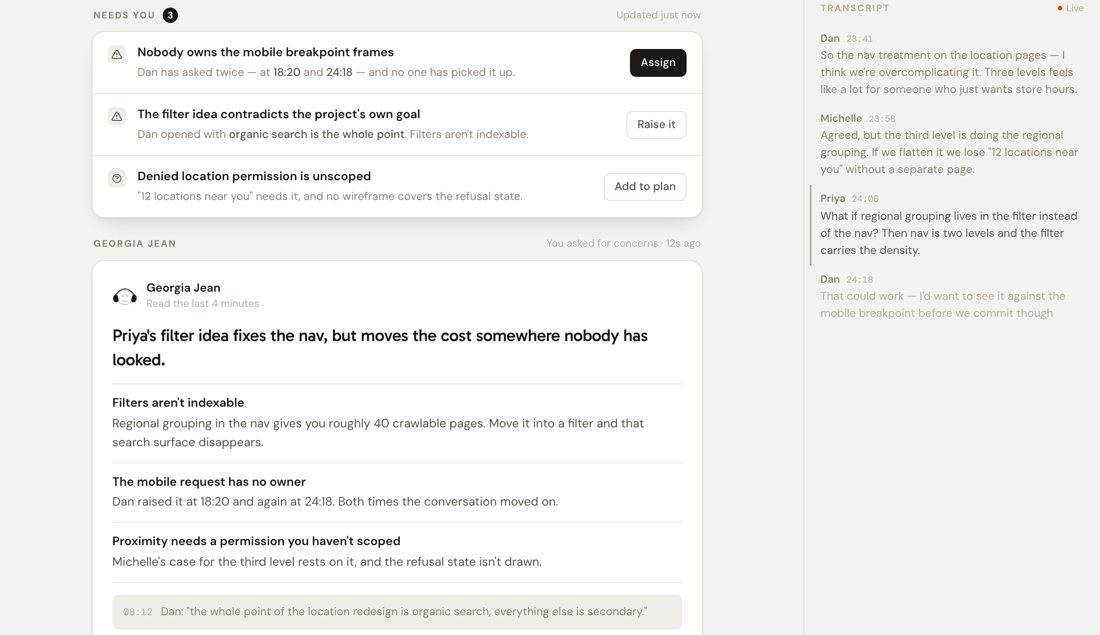
The feedback panel

After the call

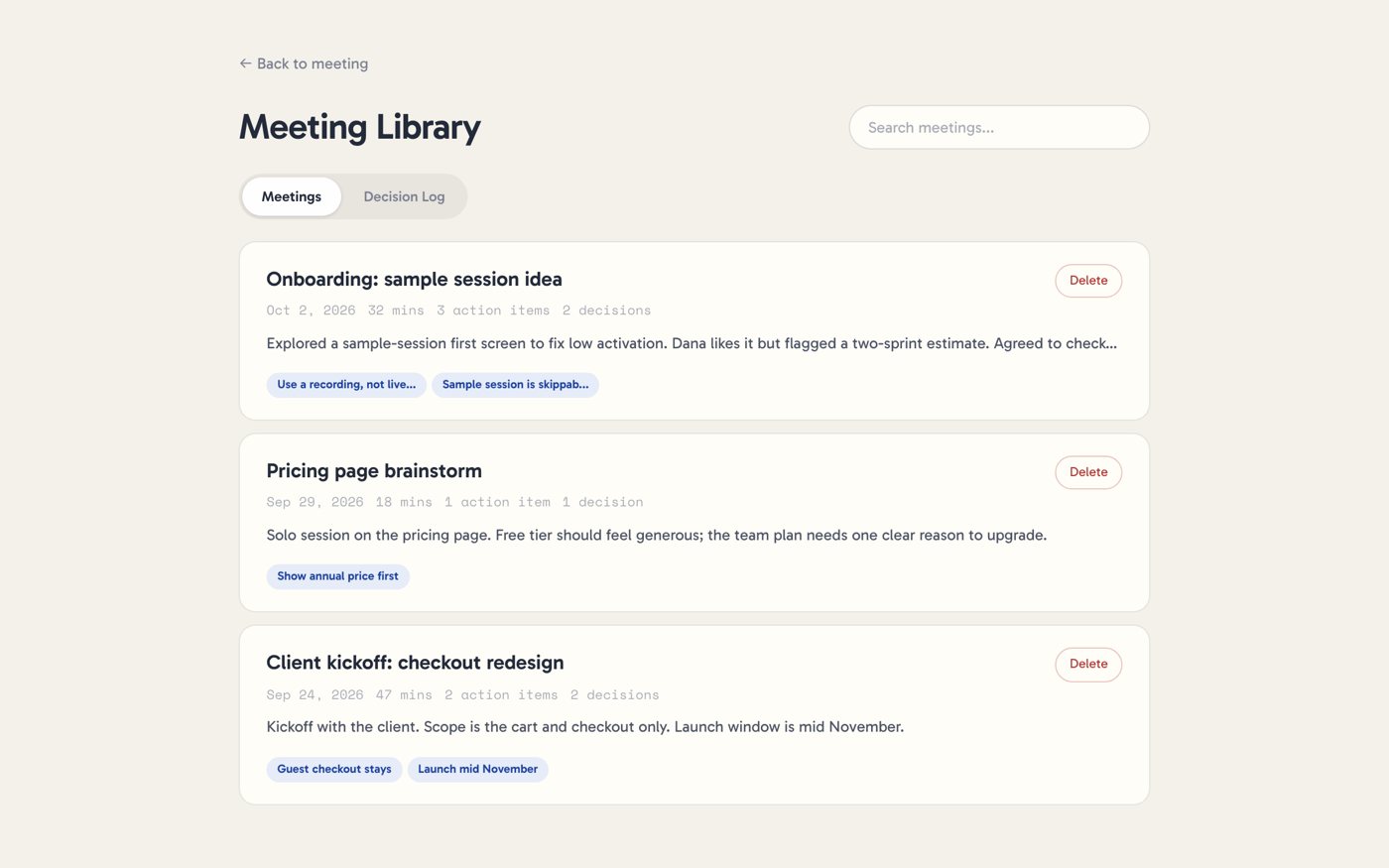
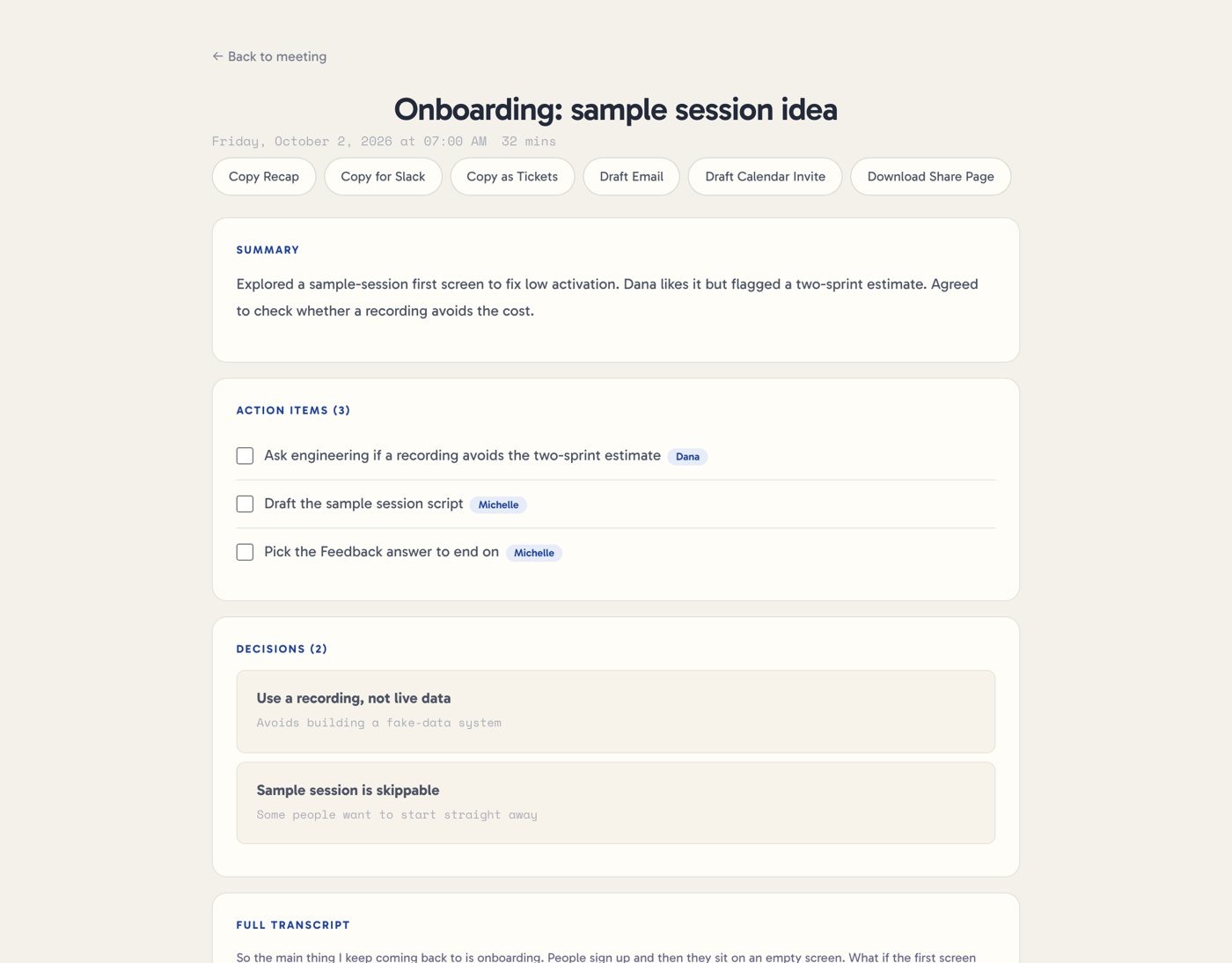
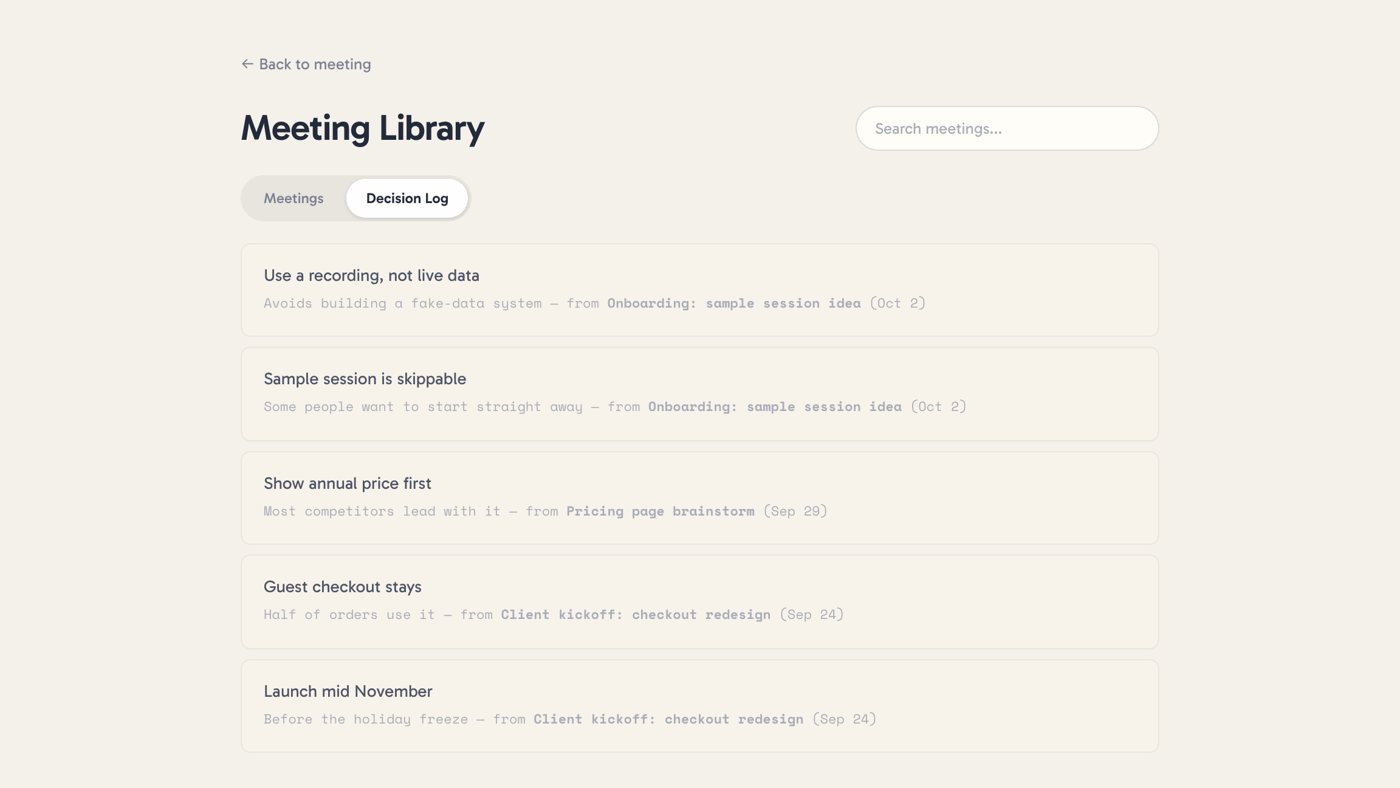
Every session is saved with its decisions.

Library
Recap
Decision log

The Library appears once you're signed in. Action items become a checklist, and every decision lands in one log.

Visual system

The color lives on her, not the interface.

Pen blue#2B58BF. Her headphones, the logo, one button per screen.
Paper#F4F1EA with faint grain and guide lines.
Graphite#232A3A for reading.
Highlighter#FFE98A for highlights and "Heads up".

Aa

GabaritoThe interface

Aa

CaveatHer voice

Aa

Space MonoSmall labels

What's next

Where she goes from here.

Connect straight to Claude Code

No copy and paste. Claude Code pulls the latest plan, with the session's context attached.

Calibrate tension

Test the heads-up against recordings of meetings where I already know how things turned out.

Speak up unprompted

Today she waits to be asked. The hard question is when interrupting is worth it.

Bring commitments back

She still catches who promised what. It needs a place on the new screen, for meetings.

Try it

Start a session with Georgia Jean.